 By peter_lzh
 If you’ve ever made a product demo or tutorial video, you already know the drill: recording is just the beginning. The real nightmare is post-production — manually adding zooms, tweaking cursor tracks, swapping backgrounds, cutting timelines… before you know it, the whole process has taken longer than writing the actual code.
Until recently, you had two options: shell out $189/year for Screen Studio, or wrestle with OBS and a mountain of plugins. One burns your budget; the other burns your time.
That’s changed now. Recordly is making “getting a good video out” genuinely simple.
What Is Recordly?
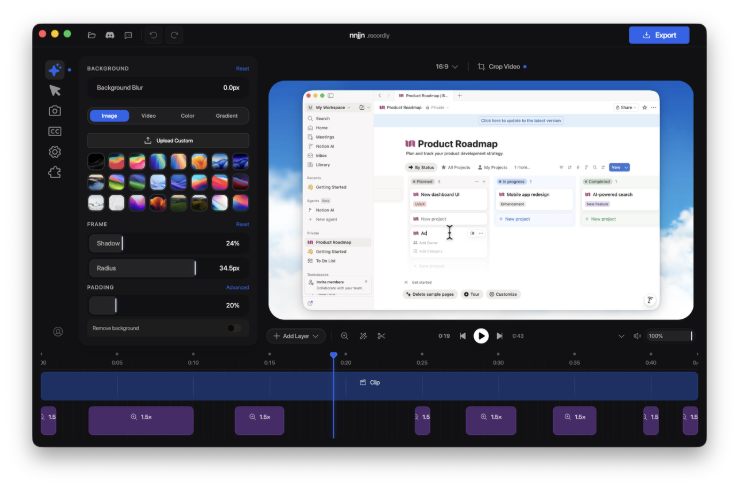
In a nutshell, it’s a desktop tool that combines screen recording and video editing in one app. Record, edit, export — no pro-level editing skills required. Just drag and drop in the editor to add zooms, adjust your cursor, swap backgrounds, and export a polished MP4 or GIF that’ll impress your clients.
It’s sitting at 7K+ Stars on GitHub, has an active community, and is completely free.
Three Killer Features
Auto Zoom
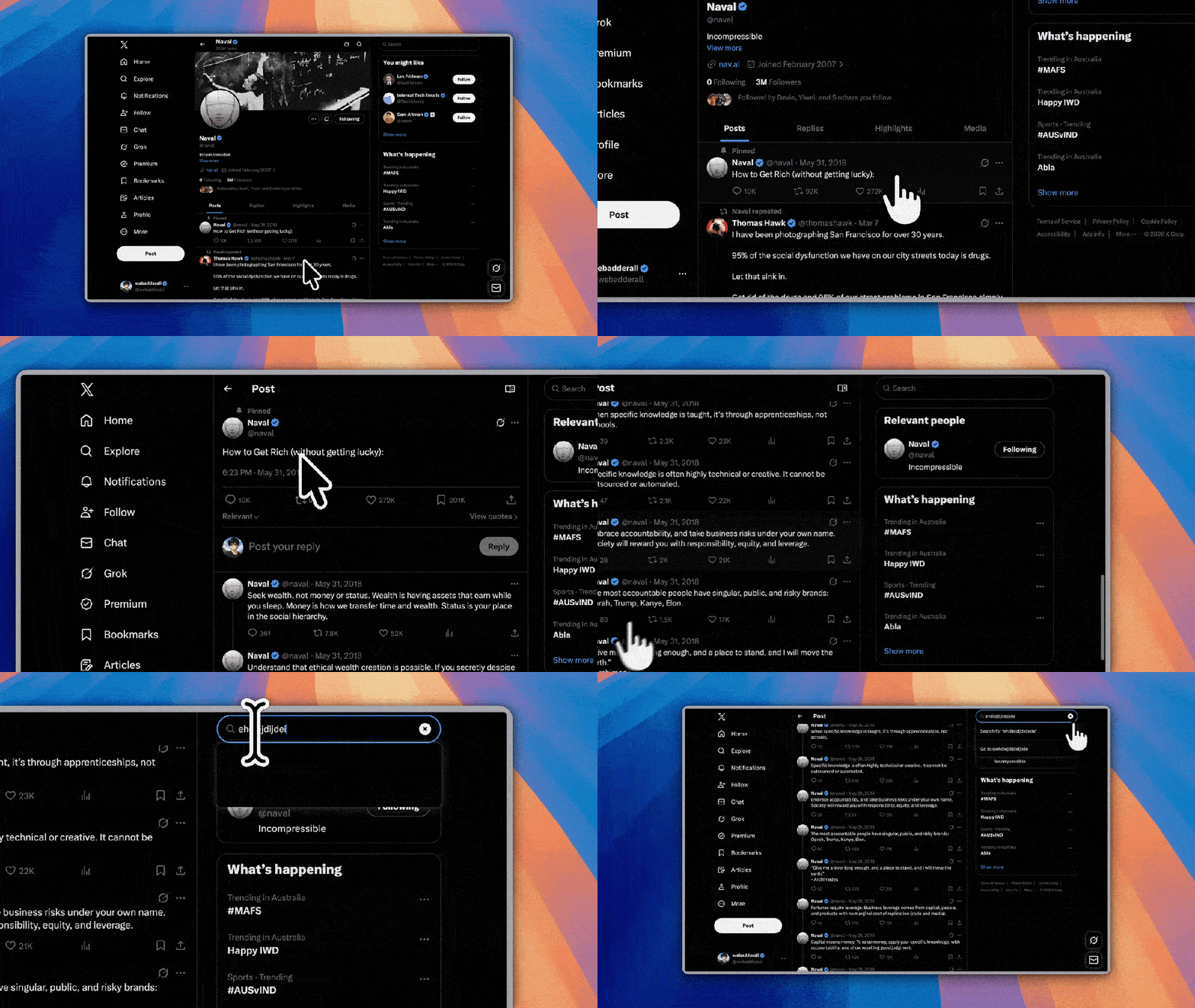
Recordly automatically detects where the action is based on your mouse activity. When demonstrating a specific feature, the view smoothly zooms in on the right area. Not happy with the result? Fine-tune it manually. For product demos, this feature alone is worth the download.
Cursor Beautification
Smooth trails, motion blur, click bounces, and even looping cursor paths — the exported GIFs look as slick as an Apple marketing video. Honestly, this one feature alone justifies the download.
All-in-One Post-Production
Drag-and-drop clips, add text or image annotations, adjust playback speed, overlay a camera bubble, swap in wallpaper or gradient backgrounds — the editor even saves projects as .recordly files so you can start editing one day and finish the next. The rendering engine runs on PixiJS, keeping preview and export buttery smooth.
Camera Bubble & Background: Polished to the Last Detail
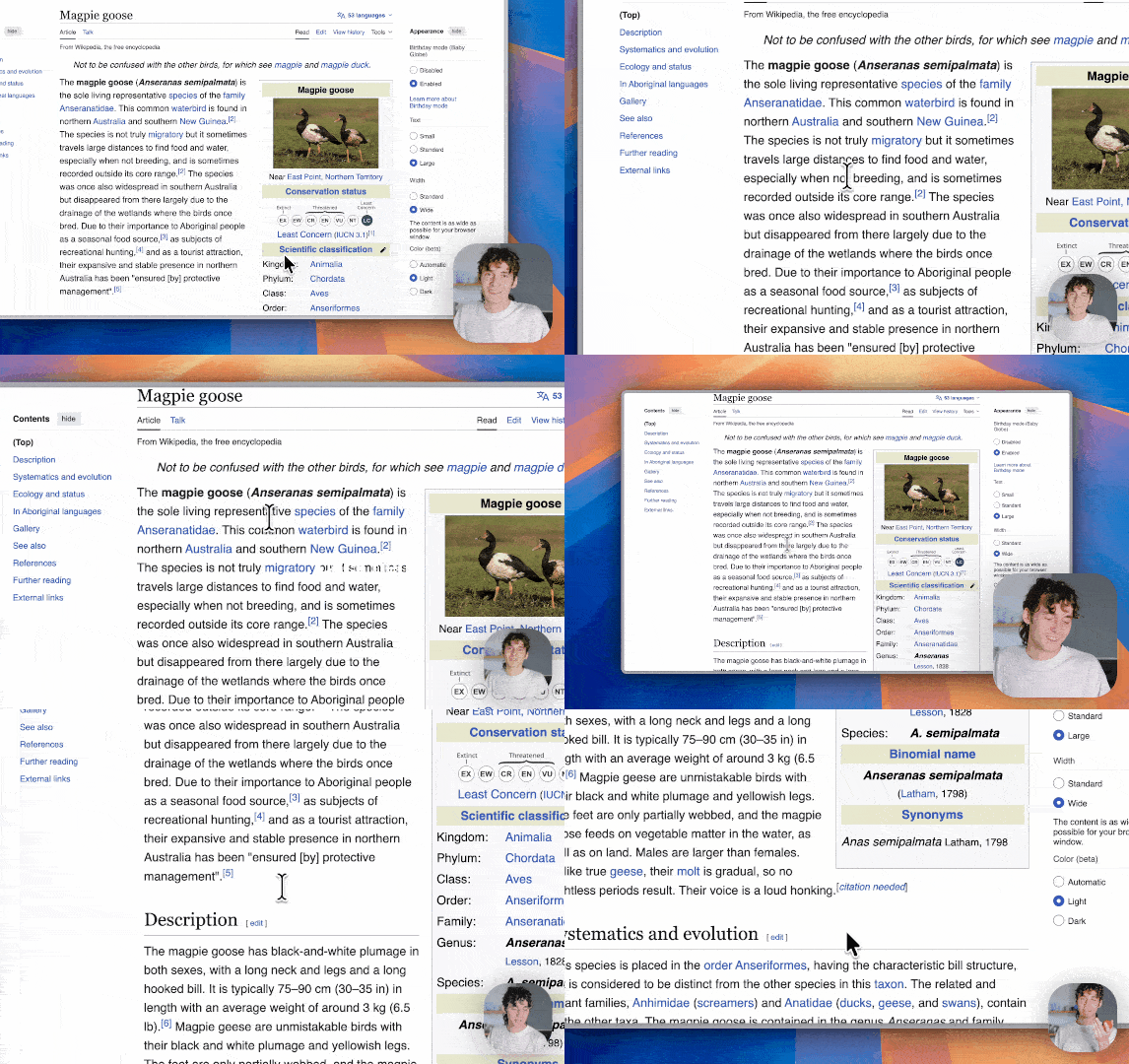
The camera feed overlays as a draggable bubble — you can resize it, reposition it, and even round the corners. The smartest touch? Follow-zoom behavior — when the main view zooms into a region, the camera bubble automatically shrinks so it never blocks the content. It’s a detail that puts many paid tools to shame.
For backgrounds, choose from wallpapers, solid colors, or gradients, plus extras like padding, blur, and shadows. Aspect ratios are preset for YouTube, social media, and more, so your export is ready to go without any cropping.
Exporting: Hassle-Free
Export to MP4 or GIF with full control over quality, frame rate, and dimensions. GIFs support toggleable looping, making them ideal for social media. For product demos, you can go from recording → editing → export in about 10 minutes.
An Ecosystem Is Emerging
Recordly features a community extension marketplace where anyone can build and publish extensions. People are already creating cursor click sound effects, device frames, browser simulation shells, and more. The ecosystem is slowly but steadily growing.
Under the Hood
Recordly is built on Electron + React + TypeScript. On macOS, screen capture uses the native ScreenCaptureKit; on Windows, it uses WGC (Windows Graphics Capture). Both support system audio. It runs on macOS 14.0+, Windows 10 19041+, and Linux. Arch users can even install it with yay -S recordly-bin.
The project originally forked from OpenScreen, but roughly 80% of the codebase has since been rewritten. Creator @webadderall maintains it actively, and the extension marketplace keeps growing.
So…
If you need to produce polished videos quickly without being locked into a Screen Studio subscription, Recordly is worth your time. Free, open-source, cross-platform, and genuinely functional — it does just about everything you’d want from a screen recording tool.
The only downside? It won’t make you coffee.