 By peter_lzh
 5 Open-Source Projects Worth Discovering: EmDash CMS, Davit for Mac, HyperFrames Video Framework and More
This week’s roundup of open-source projects covers five tools that solve very different problems: a modern TypeScript CMS aiming to replace WordPress, a native macOS GUI for Apple’s container platform, a clean class-schedule app for students, a minimalist desktop sticky-notes tool for Windows, and an HTML-to-video rendering framework built for AI agents.
01 EmDash — A Full-Stack TypeScript CMS Positioned as the “Spiritual Successor to WordPress”
EmDash is a full-stack TypeScript CMS built on Astro. Its ambition is simple: replace the aging PHP-based site-building stack with a modern one — TypeScript across frontend and backend, with Cloudflare’s edge computing capabilities available right out of the box.
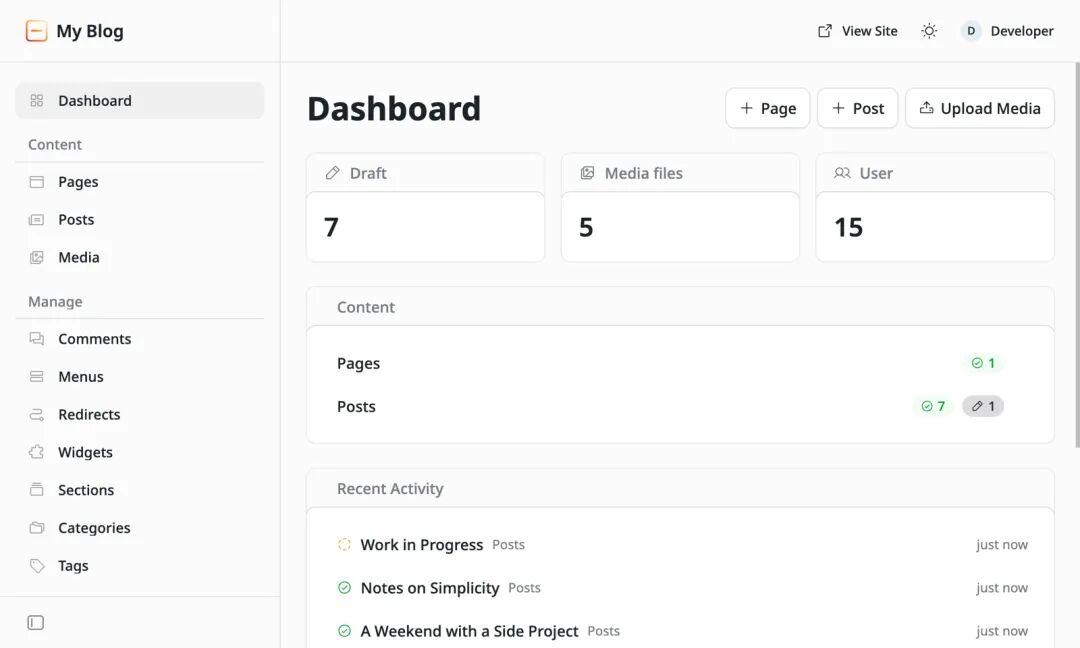
Its highlight is cutting out every possible chore: a built-in Cloudflare Durable Objects SQL database backend with read replicas and read-your-writes optimization; a plugin system with explicit MCP tool declarations — effectively leaving a door open for AI assistants. Add native i18n (including RTL Arabic support), one-command Docker/Compose deployment, and Playwright visual regression testing.
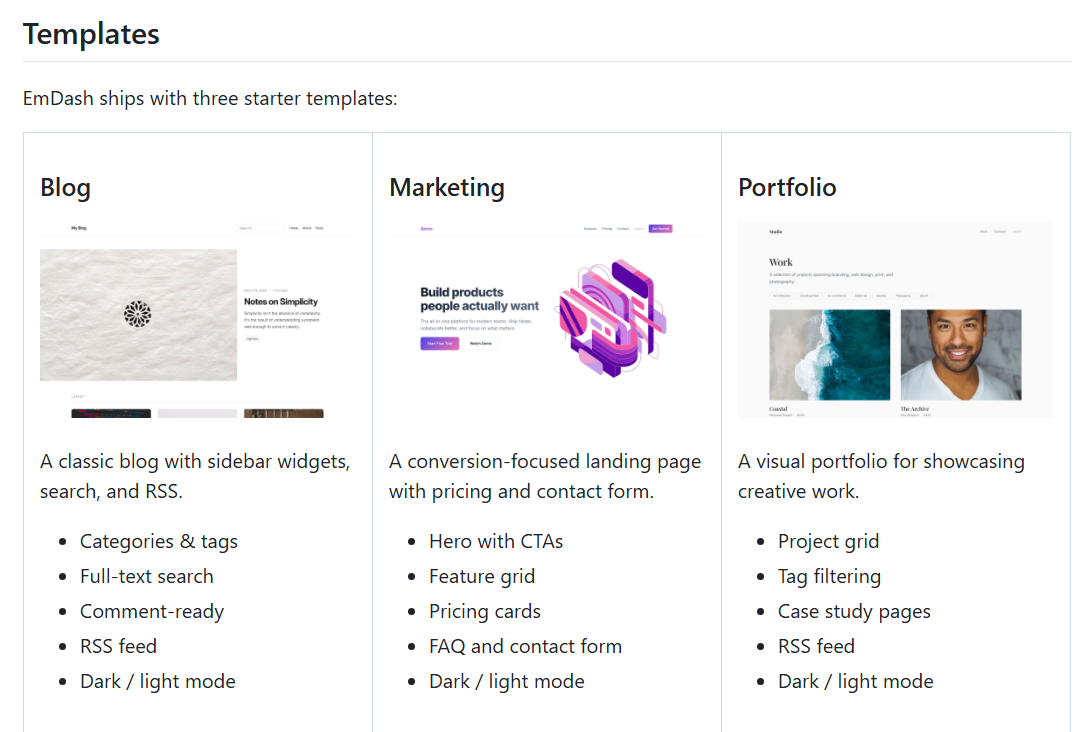
Best suited for teams that want to self-host a content site without being chained to WordPress’s PHP legacy, or developers who want to run their site directly on Cloudflare’s edge.
GitHub: github.com/emdash-cms/emdash
02 Davit — A Native macOS GUI for Apple’s Container Platform
Davit is a native macOS graphical interface for Apple’s official container platform — think of it as “Apple’s own answer to OrbStack / Docker Desktop,” purpose-built for the lightweight-VM-running-Linux-containers stack on Apple silicon. The entire app is written in SwiftUI and talks to container-apiserver directly over XPC, never touching the CLI binary.
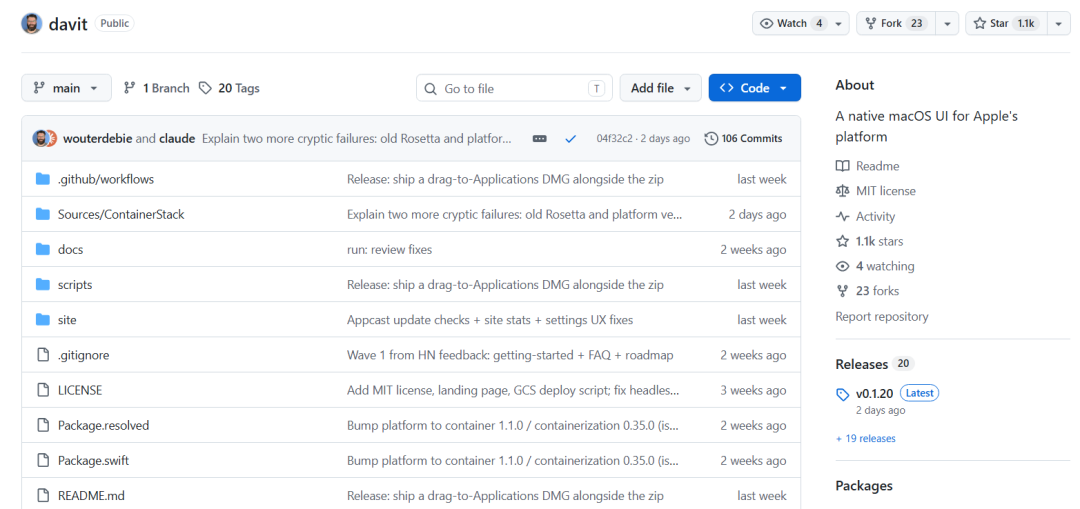
The feature set is tightly scoped: a Dashboard for resource usage and real-time CPU graphs; full lifecycle management for containers, images, volumes, networks, and machines; streaming log follow, stats charts, a terminal, and a file browser. It also handles graphical builds, docker-compose import with full lifecycle support, and private registry login. Menu-bar residency, launch-at-login, and a ⌘K global search round it out.
Ideal for developers on Apple silicon Macs who want a native replacement for Docker Desktop — installable with a single Homebrew command.
GitHub: github.com/wouterdebie/davit
03 Shiguang Schedule — An Ad-Free, Minimalist Class Timetable App for Android
Shiguang Schedule (“拾光课程表”) is an open-source, ad-free, minimalist Android timetable app aimed at Chinese university students and teachers. Its killer feature: community-maintained adapter scripts that import timetables from all kinds of university academic systems in one tap — no more filling in courses by hand.
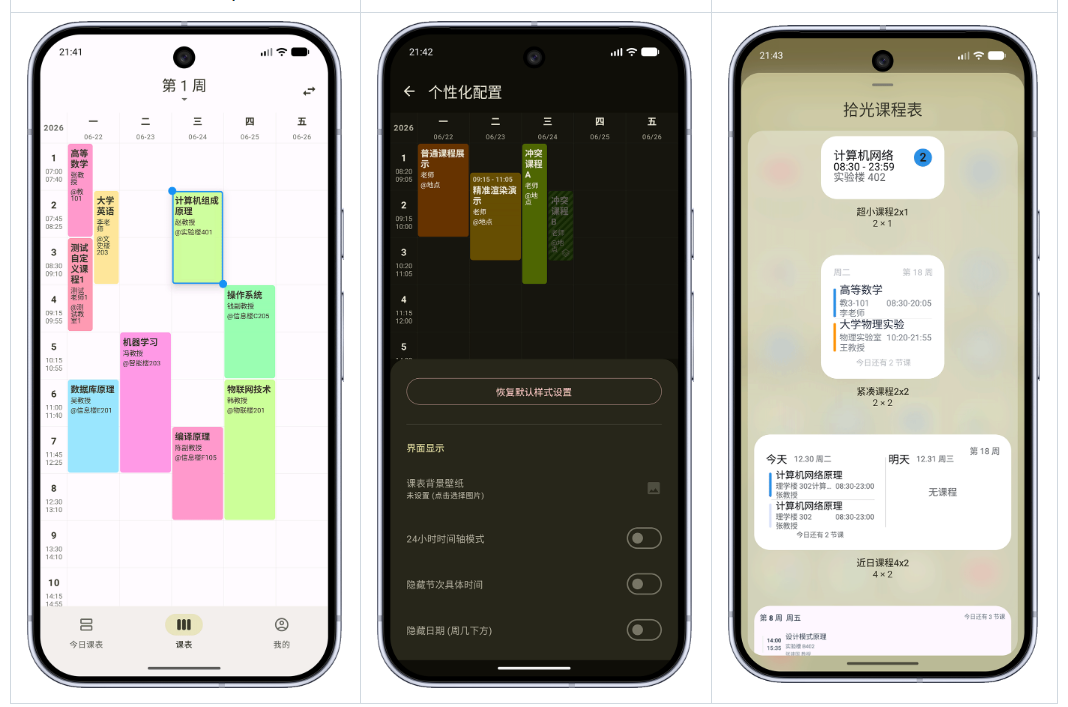
The details are well executed: swipe left/right to switch weeks, today’s view auto-scrolls to the current class; global dark mode covers even the widgets; cell height, corner radius, spacing, transparency, and course-block colors are all customizable. It also supports JSON backup, ICS export to other calendars, auto-mute/do-not-disturb during class, and holiday-aware notifications. Thoughtfully, it ships in two flavors — the release build (blue icon) enables security verification by default and hides custom repositories, making it the no-brainer choice for regular students. Runs on Android 8.0+.
GitHub: github.com/XingHeYuZhuan/shiguangschedule
04 PaperTodo — Quiet Paper-Like Sticky Notes for the Windows Desktop
PaperTodo is a minimalist Windows desktop notes tool with a crystal-clear philosophy: put a few quiet, usable, non-intrusive sheets of paper on your desktop. Built natively in WPF, it has no main window, no accounts, no manager — each sheet is an independent borderless window sitting directly on the desktop.
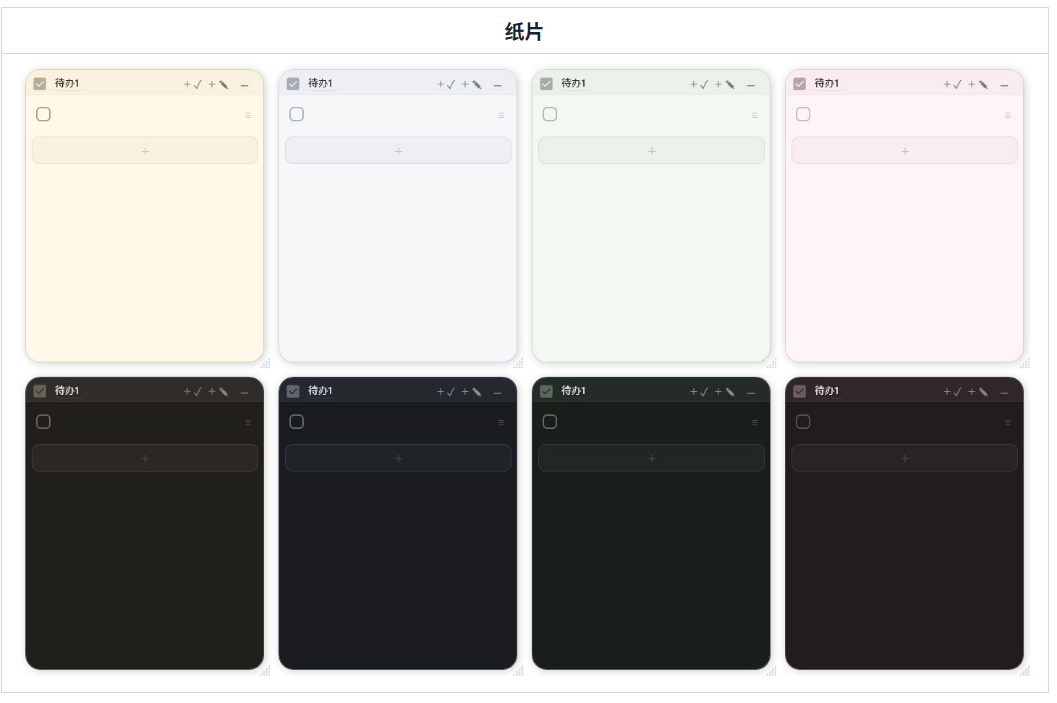
Sheets come in two types: todo sheets (one task per line, checkbox and drag-sort, multi-line paste auto-splits into tasks) and note sheets (lightweight Markdown highlighting plus local images). The standout is capsule mode — click the corner of a sheet and it collapses into a pinned mini-capsule that auto-aligns to the screen edge, supports multiple monitors, and slides back out on click, instantly decluttering the desktop. There are also script capsules (start the first line with !p to run PowerShell), todo-to-note linking, four color themes, multi-language support, and launch-at-startup.
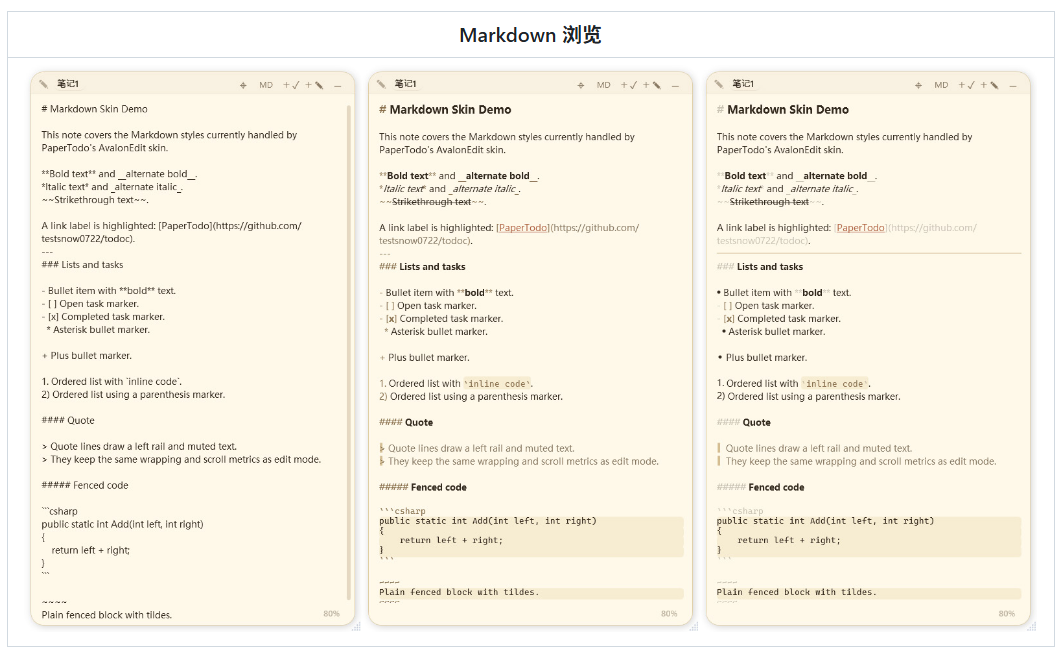
Data is auto-saved to data.json with backups, and the whole thing is a single downloadable EXE. A genuine delight for Windows users who want a light, fast, no-nonsense desktop note-taking experience.
GitHub: github.com/snownico0722/PaperTodo
05 HyperFrames — Write HTML, Render Video, Built for AI Agents
HyperFrames’ tagline says it all: Write HTML. Render video. Built for agents. In one sentence, it’s an open-source framework that renders HTML/CSS, media, and addressable animations into deterministic MP4 videos — designed from day one for AI coding agents.
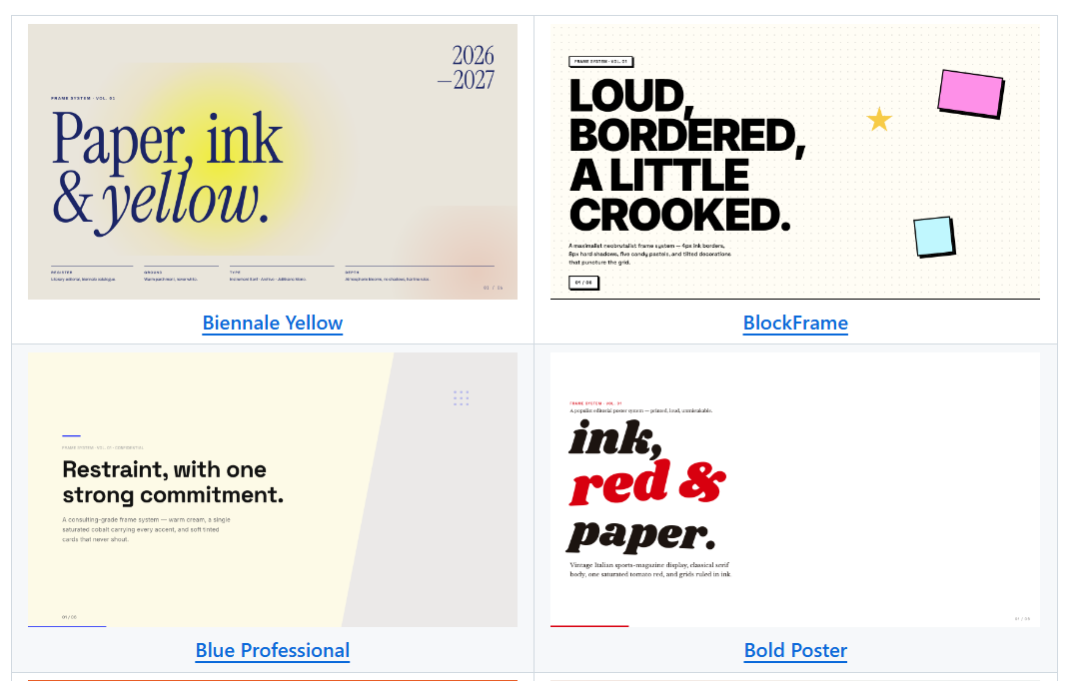
The design fits agents perfectly: a composition is just an HTML file with data attributes — no React, no proprietary timeline format. The CLI is non-interactive by default, and identical input always yields identical frames (deterministic, ideal for CI and regression testing). There’s no build step; index.html previews straight in the browser. Animations use an adapter pattern, so GSAP, CSS, Lottie, Three.js, and Anime.js all plug in. It even ships 19 agent-loadable skills — product launch videos, PR demos, data visualizations, docs-to-video, and more. Apache 2.0 licensed, with no per-render fees.
A great fit for teams building automated video pipelines, content generation systems, or giving their AI agents a “write a webpage, get a video” capability.