 By peter_lzh
 27.5K Stars on GitHub! QtScrcpy — The Android Screen Mirroring Tool That Feels Even Smoother Than Your Phone
You know the scene: huddling around a tiny 6-inch screen to demo an app to colleagues; having to pick up your phone just to reply to a WeChat message on your PC; trying to play PUBG Mobile on a palm-sized screen, fingers fumbling everywhere.
Screen mirroring tools are plentiful, but they’re either paid, ad-ridden, or too laggy to use. Enter QtScrcpy — free, open-source, ad-free, low-latency, and requiring zero installation on your phone.
It’s already sitting at 27.5K+ Stars on GitHub.

What Is QtScrcpy?
In simple terms, it’s an open-source tool that mirrors your Android phone screen to your PC and lets you control it with your mouse and keyboard.
Based on Genymobile’s scrcpy engine, QtScrcpy goes a step further by wrapping it in a complete graphical user interface. No command line needed — just download, unzip, and run. It’s especially beginner-friendly.
The killer feature? No root required, and no app to install on your phone. Just enable USB debugging and you’re good to go.
What Can It Do?
Screen Mirroring — Real-time display of your phone screen on your PC, running at 30-60fps with USB latency as low as 35-70ms. Tap your phone and it responds on the PC almost instantly.
Keyboard & Mouse Control — Use your mouse to tap and keyboard to type. Replying to messages, filling out forms, scrolling Douyin — it’s far more comfortable than on the phone itself.
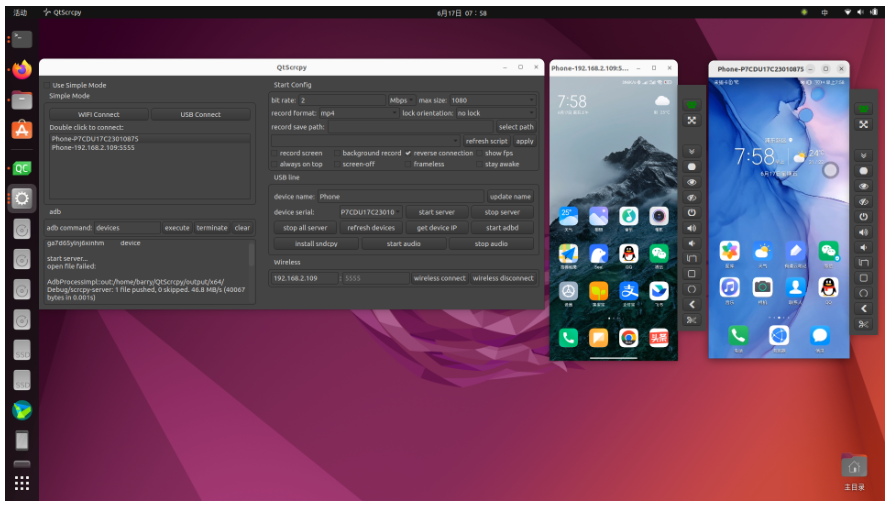
Custom Key Mapping — This is a game-changer for gamers. Map keyboard keys to touch events and play Genshin Impact or PUBG Mobile from your PC — it feels just like a native desktop game. You can even write custom scripts for advanced configurations.
Wireless Connection — Tired of cables? Connect your phone and PC to the same WiFi, run a few quick steps, and you’re mirroring wirelessly. Unplug and go.
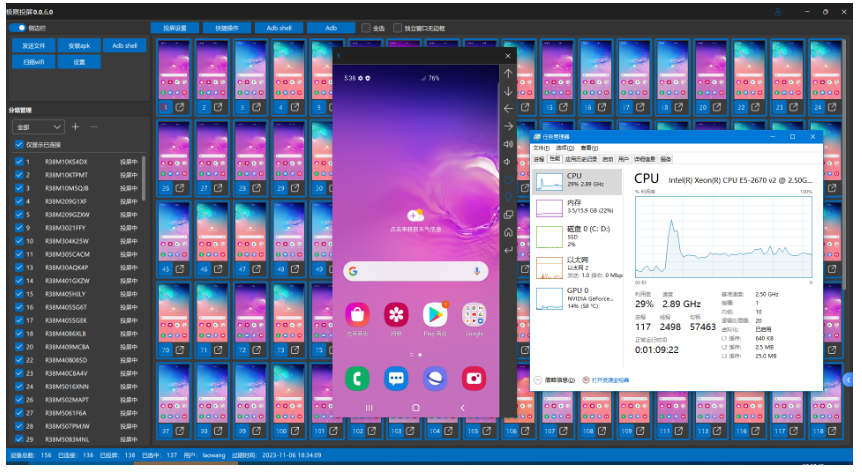
Multi-Device Management — Connect multiple phones simultaneously and send group commands to all of them at once. QA engineers and phone shop owners will love this.
Screen Recording, Screenshots & File Transfer — Record or screenshot directly while mirroring. Drag an APK into the window to install it automatically; drag any other file to transfer it to your phone — no data cable needed.
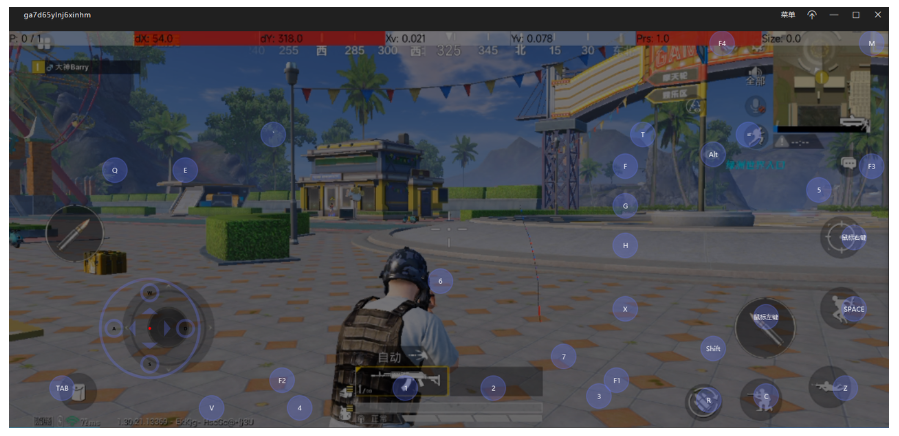
Getting Started: Three Simple Steps
Step 1: Download the archive for your system from GitHub Releases (Windows users grab QtScrcpy-win-x64-v3.3.3.zip), extract it, and double-click QtScrcpy.exe.
Step 2: On your phone, enable Developer Options → USB Debugging. (Typically: Settings → About Phone → Tap “Build Number” 7 times to unlock developer mode.)
Step 3: Connect your phone via USB, click “USB Connect” → “Start Service”. Your phone screen appears on your PC within seconds.
For wireless: connect via USB once, click “Get Device IP” → “Start adbd” → “Wireless Connect”, then unplug. Refresh the device list and you’re wireless.
How Does It Compare?
The three biggest open-source Android screen mirroring projects right now:
- scrcpy (134K Stars) — Performance ceiling, but pure command-line
- escrcpy (7.1K Stars) — Beautiful UI, but fewer features
- QtScrcpy (27.5K Stars) — The middle path: performance close to native scrcpy, richest feature set, and the most intuitive interface
QtScrcpy is best described as the “all-rounder” — and it’s not an exaggeration.
Final Thoughts
Honestly, since installing this, I find myself using my PC to reply to phone messages more often than picking up the actual phone. Not because I’m lazy — it’s genuinely more convenient.
Project repository: https://github.com/barry-ran/QtScrcpy