 By peter_lzh
 Here are five practical open-source GitHub projects worth bookmarking — a mix of DevOps automation, reproducible dev environments, service orchestration, database tooling, and secure cross-device sync. Each one solves a real, everyday pain point.
01 Rundeck
Rundeck is a genuine DevOps power tool — in short, an automation “control panel” for operations.
Ops, dev, and QA teams all deal with repetitive work: deploying apps, restarting services, running batches of scripts. Without a unified management interface, everyone ends up SSH-ing into servers and typing commands by hand, which is slow and error-prone.
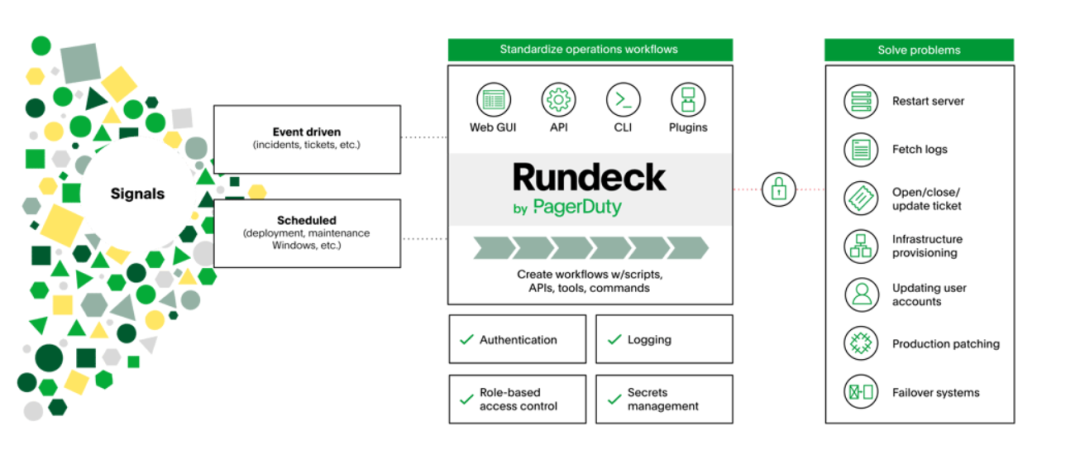
Rundeck solves this neatly. It lets you define routine operations (scripts, commands, HTTP requests, and more) as “Jobs,” then run them from a clean web UI or an API. You can assign different permissions to different people so they can self-serve common tasks — for example, letting QA deploy a test environment on their own without pinging the ops team every time.
It’s a great fit for standardizing ops workflows, keeping an audit trail, or enabling self-service inside a team.
02 Devbox
This one is a gift to developers, especially anyone tormented by “it works on my machine” environment drift. Its tagline is bold: “instant, easy, and predictable development environments.”
You’ve surely hit this: Project A needs Python 3.10, Project B needs Python 3.8, and juggling them with a system package manager (Homebrew, apt) can quietly wreck your setup.
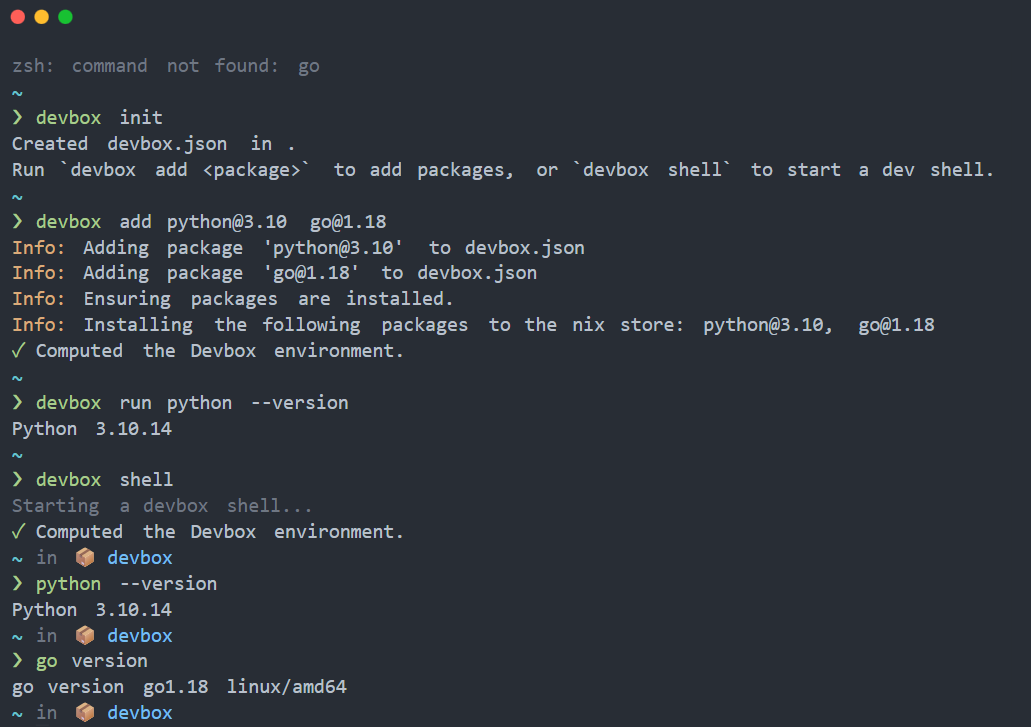
Devbox comes to the rescue. You list every tool your project needs in a devbox.json file (specific versions of Python, Node.js, database clients, and so on), run devbox shell, and it instantly spins up a clean, isolated shell. Every tool version inside is exactly what you specified, and none of it pollutes your laptop.
It’s ideal for developers who manage multiple projects with different tool-version requirements, or who want to try new tools safely.
03 iii
The name iii is distinctive, and so is the goal: to “compose, extend, and observe every service in real time, effortlessly.”
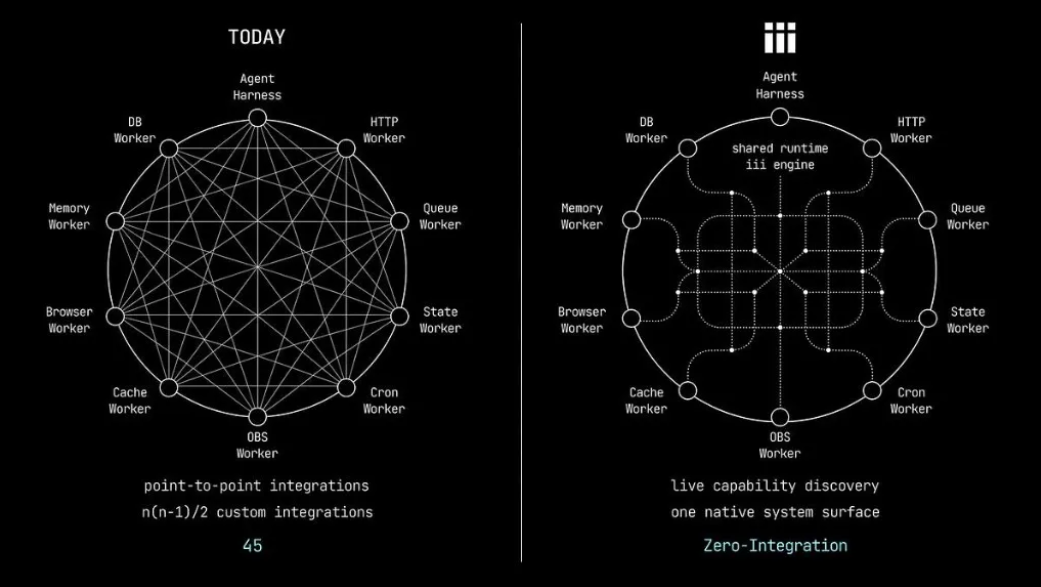
Modern backends pile up microservices, message queues, scheduled jobs, AI agents, and more — a tangle that’s painful to manage and observe.
iii proposes a clean model: Worker, Function, and Trigger. You can turn any service (an API, a data pipeline) into a “Worker,” then register the “Functions” and “Triggers” it owns. For example, iii worker add queue quickly adds a queue capability. Best of all, every Worker is live and online, able to discover and call one another, with every call chain observable by default.
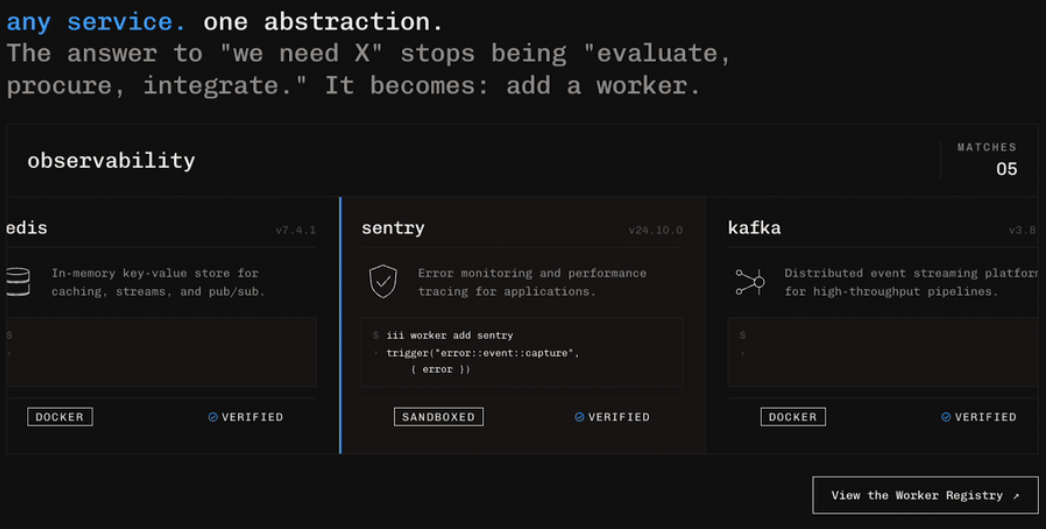
That makes building and debugging complex distributed systems, AI-agent systems, or highly scalable backends easier than ever.
04 SQLModel
SQLModel is another gem from Sebastián Ramírez (tiangolo), the author of FastAPI. Its positioning is precise: work with SQL databases in Python in the simplest, most elegant way possible.
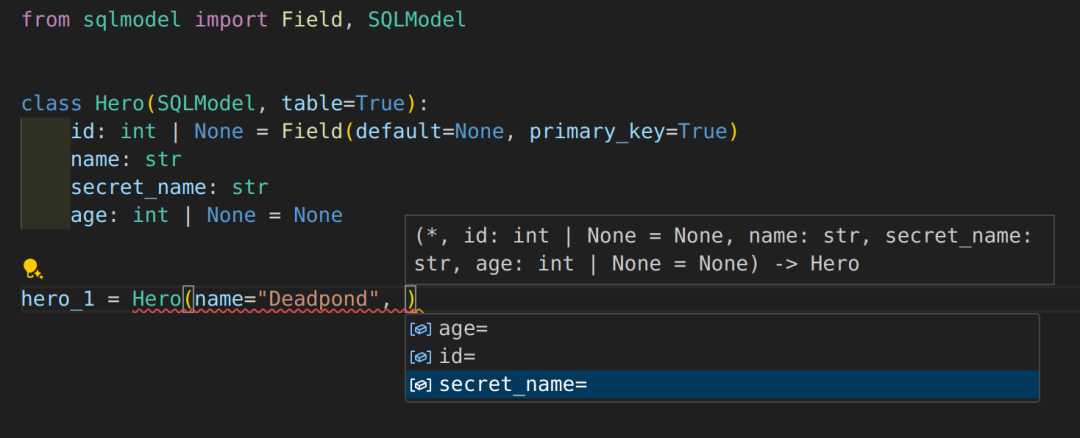
It cleverly combines the strengths of SQLAlchemy (a powerful ORM) and Pydantic (a data-validation library). You write a single Python class that serves as both a database table model and a Pydantic data model.
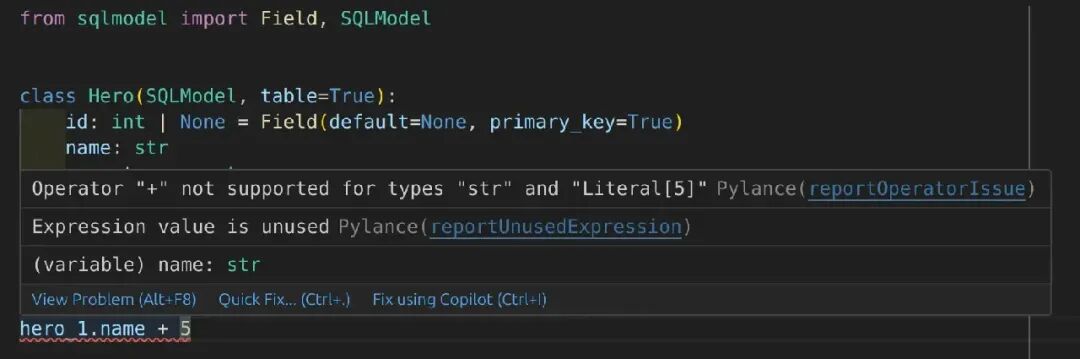
Write one set of code and you get database CRUD plus API request validation and serialization, cutting boilerplate dramatically. It fully inherits Pydantic’s type-hint support, so editor autocomplete and type checking feel excellent while you code.
If you build backends with FastAPI and need to talk to a SQL database, SQLModel is the obvious choice — cleaner, sturdier code.
05 UniClipboard
This is a local-first, end-to-end encrypted cross-device clipboard sync tool. The built-in system clipboard or typical cloud clipboards either lock you into the Apple ecosystem or upload your data to the cloud, raising privacy concerns.
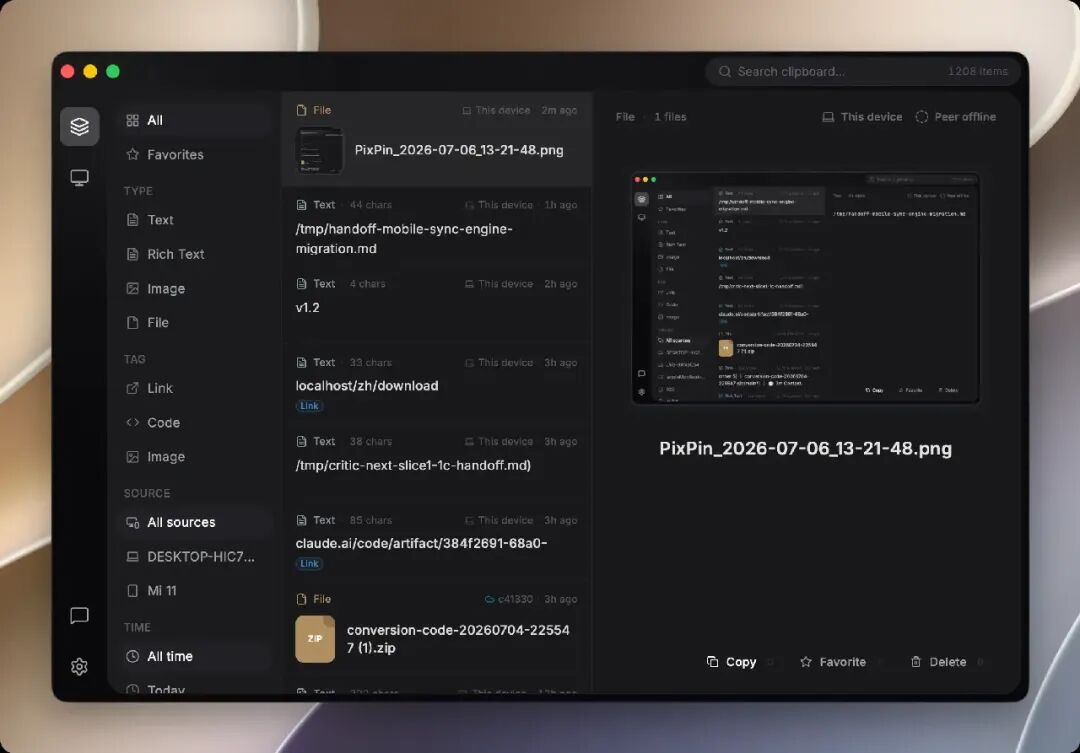
UniClipboard delivers true cross-platform support (Windows, macOS, Linux, plus iOS and Android apps) with no account registration and no central server. Devices connect directly via P2P; on tricky networks, data is relayed through an encrypted relay — but rest assured, the content is fully encrypted and unreadable to anyone. Copy some text on your office computer and paste it on your home machine, securely and privately.
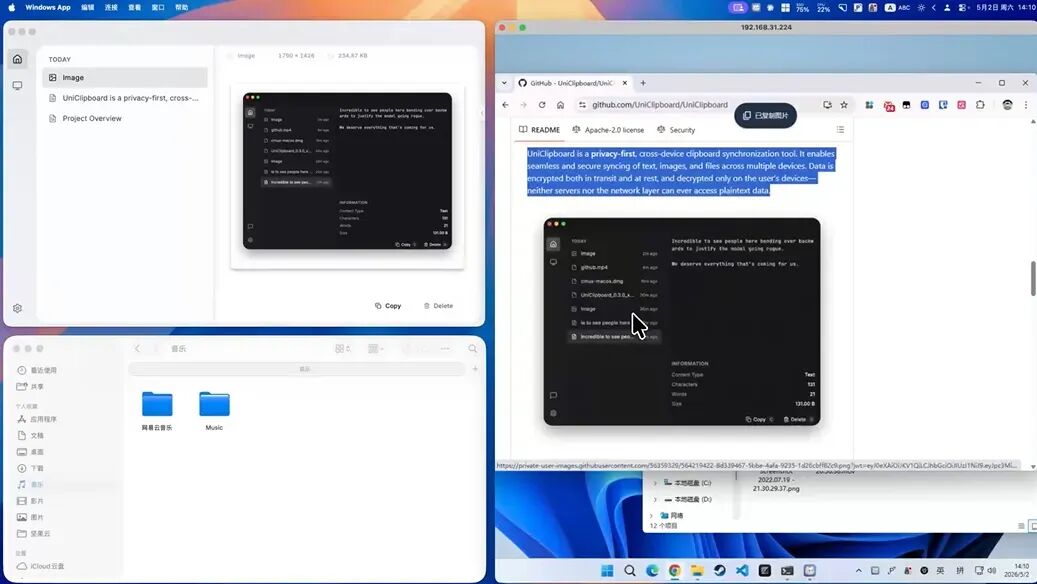
It’s especially suited to users with strict privacy requirements who still need to sync clipboards across devices running different operating systems.