 By peter_lzh
 If you’ve been using Claude Code or Codex lately, you may have noticed the model getting wordy. Ask a simple question and it opens with a long conceptual lecture, only handing you the actual solution at the very end.
The verbosity is annoying on its own, but the real cost is that it burns your quota and counts toward token billing — that’s real money.
While hunting for a fix on GitHub, I found Caveman, a project built specifically to cure AI’s chattiness. It went open source in April and racked up 88k stars in just three months, which says a lot about how well it works.
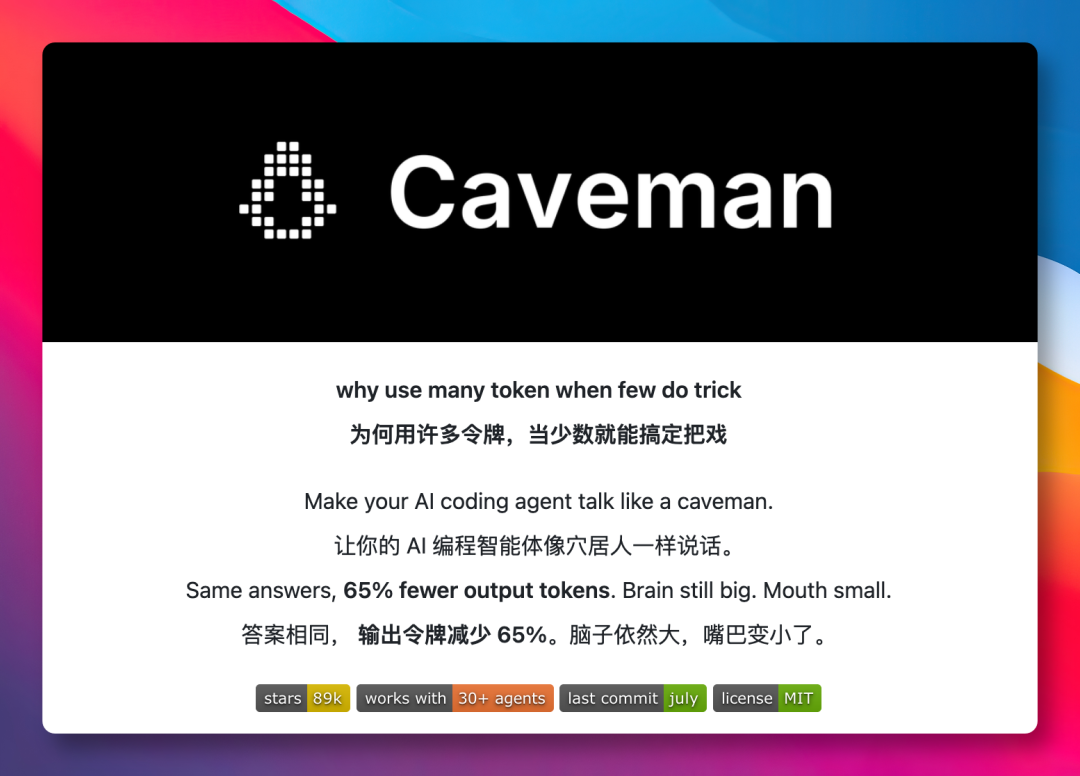
What it does is simple: it lays down one rule for the AI — “say what you mean, only the essentials, like a telegram where every extra word costs money.”
True to its name, Caveman makes the AI talk like a primitive: short phrases plus keywords, with all the pleasantries stripped out.
For example, ask “why is my React component re-rendering,” and a polite AI will offer to walk you through the theory, spending 69 tokens. With Caveman installed, you get a terse reply that goes straight to the core of the problem and hands you the fix — just 19 tokens.
Both give the exact same solution, but the output shrinks by two-thirds.
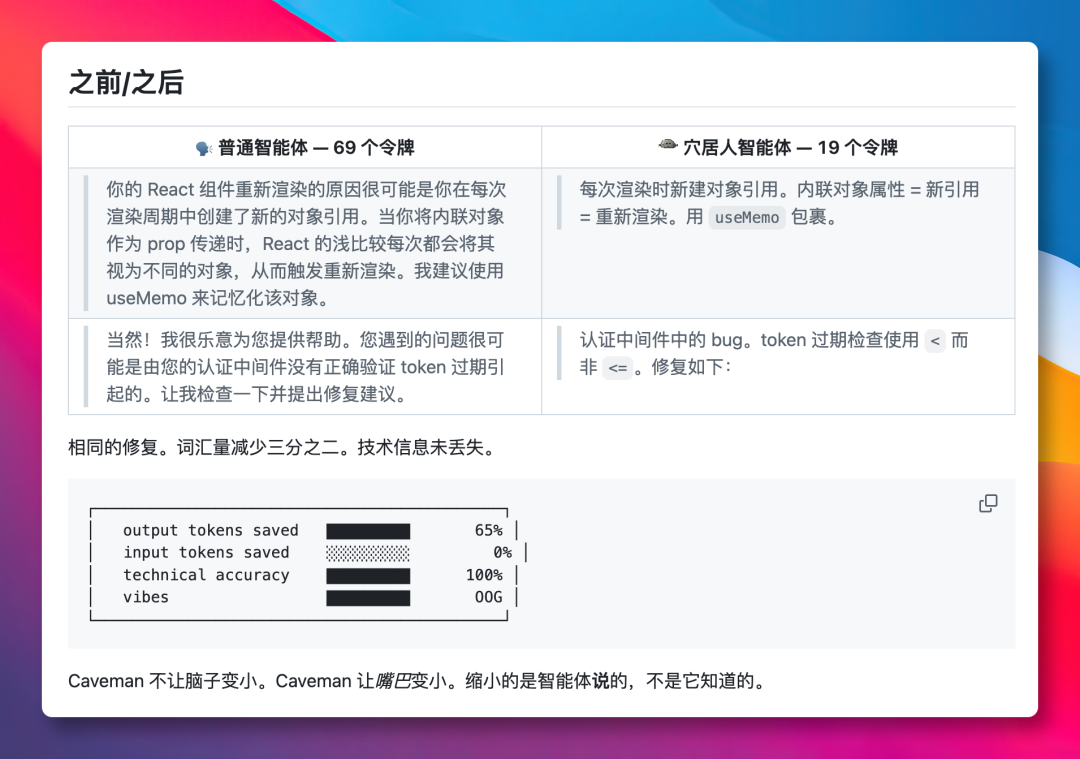
It isn’t mindless truncation, either. It has a hard rule: code, commands, error messages, and similar information are always preserved and never compressed.
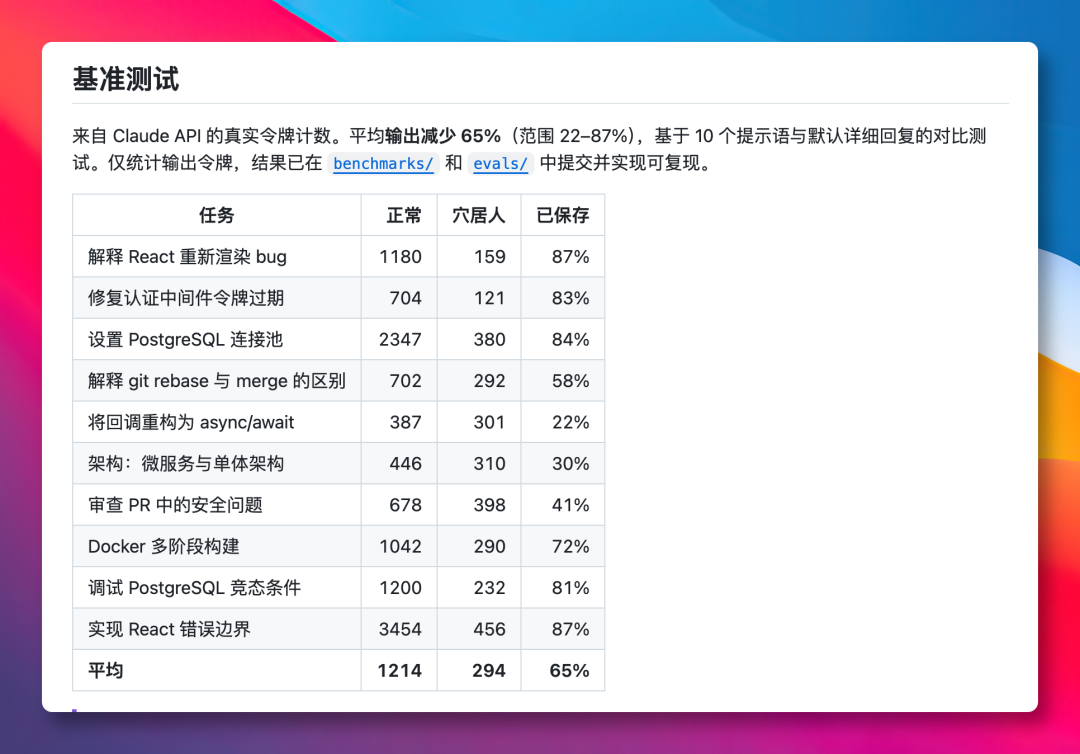
So how much does Caveman actually save? The author ran 10 everyday tasks through the Claude API — covering coding, bug fixing, database configuration, code review, Docker deployment, and more.
On average it cut output tokens by 65%, with a peak saving of 87%. The benchmark script is open-sourced too, so you can reproduce the results yourself.
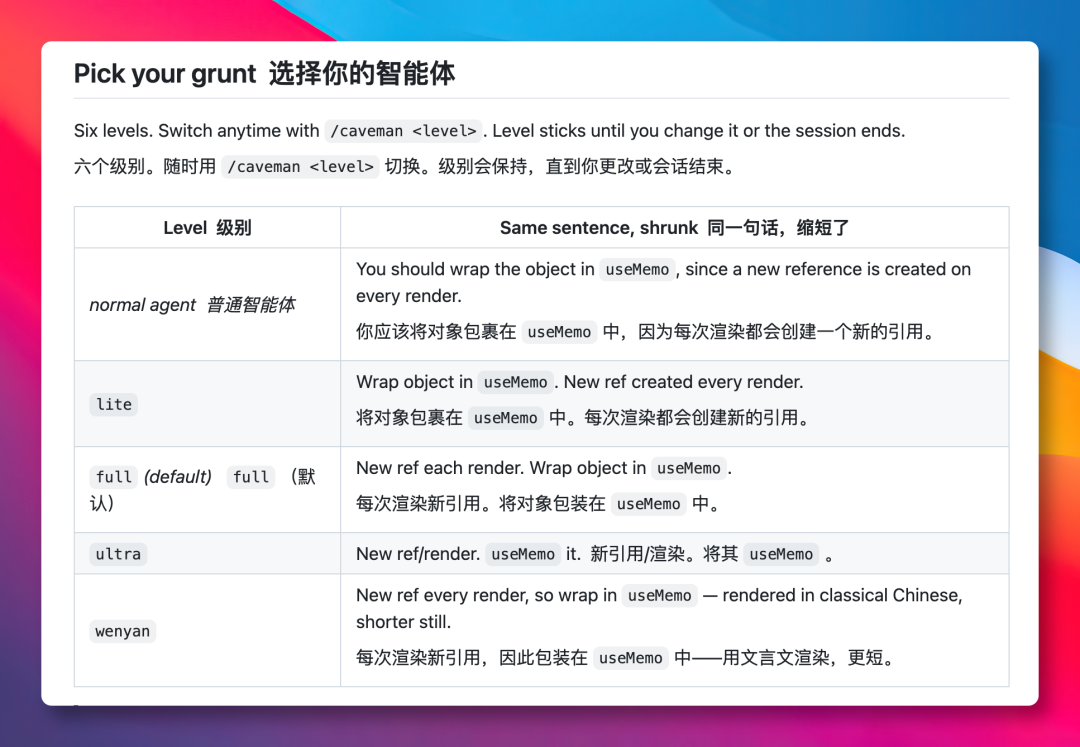
The tool also offers several compression levels: full (the default), lite (which only drops the pleasantries), and ultra (extreme brevity).
There’s even a “Classical Chinese” mode, applying the ancient Chinese art of saying more with fewer words to make output even shorter.
Asking in Chinese or any other language works fine — the tool only changes the speaking style, it doesn’t forcibly compress your text.
The author is upfront with us: only output tokens are saved — input and reasoning tokens are not. And using Caveman adds roughly 1,000 extra input tokens per conversation.
Still, in my view, getting concise AI replies that surface the key points faster is the real win, and saving tokens is just a bonus.
More intriguingly, shorter replies might actually make the AI smarter.
Back in March I came across a paper titled Brevity Constraints Reverse Performance Hierarchies in Language Models. It reported that forcing large models to answer briefly actually raised accuracy by about 26% on some benchmarks.
In other words, while saving tokens, you may also be improving answer quality to some degree.

How to Install
Installation is easy. On macOS and Linux, just run one command:
curl -fsSL https://raw.githubusercontent.com/JuliusBrussee/caveman/main/install.sh | bashOn Windows, use this command:
irm https://raw.githubusercontent.com/JuliusBrussee/caveman/main/install.ps1 | iexAfter running it, Caveman is automatically detected and installed into the agent coding tools on your machine. It supports Claude Code, Codex, Gemini CLI, Cursor, OpenClaw, and other mainstream agent tools.
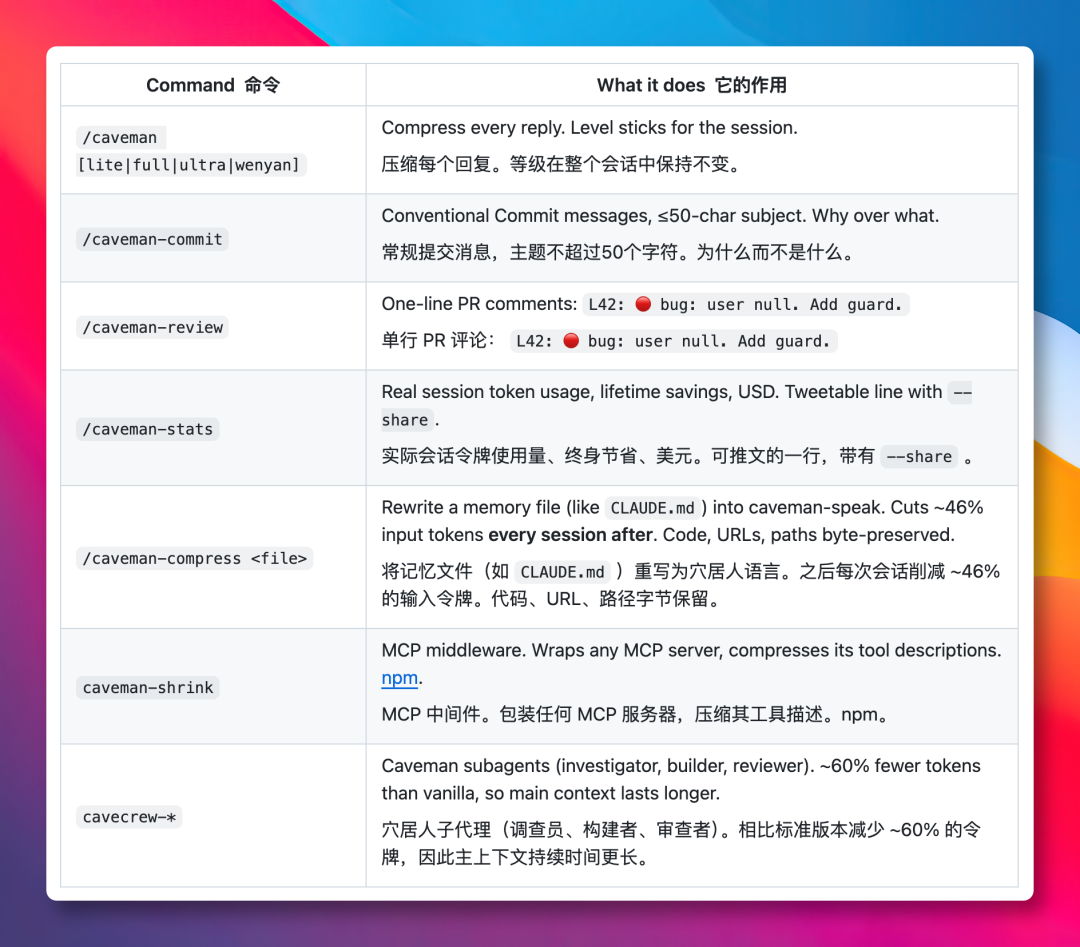
Once installed, open Claude Code or Codex and type /caveman or /caveman [level] to use it.
There are a few more handy commands: /caveman-commit trims Git commit messages, and /caveman-compress compresses the contents of CLAUDE.md. You can also run /caveman-stats to see how many tokens the current conversation has saved.
Final Thoughts
What this project taught me: instead of repeatedly nagging the AI to “keep it brief,” just give it a firm rule.
The problem of models growing more verbose and padding replies with filler will surely be optimized by the major model vendors sooner or later. When that day comes, tools like this will have served their purpose — but for now, this plugin is genuinely useful.
The project’s site notes that engineers at Google, OpenAI, and ByteDance are already using it, which makes it all the more worth a try.
GitHub: github.com/JuliusBrussee/caveman