 By peter_lzh
 AstrBot: A One-Stop Agentic Assistant for Personal and Group Chats (36K+ Stars)
Chatting with a large language model in a web page is easy these days, but truly dropping one into group chats still takes real engineering. The agent has to know when to reply, which users are allowed to invoke it, which conversation a burst of messages belongs to, and how to handle images, voice, and platform-specific message formats.
Today you wire up OpenAI, tomorrow you want to switch to DeepSeek, the next day you are tempted to try a local Ollama. Model services are interchangeable, but if every switch means rewriting the bot code for QQ, Feishu, and DingTalk, then platform and model are coupled far too tightly.
Putting an Agent into Many Chat Apps
AstrBot, open-sourced by AstrBotDevs, is an all-in-one agent chatbot platform. It inserts a unified framework between large models and instant-messaging apps, letting developers connect chat platforms, model services, knowledge bases, plugins, and tools from a single admin console instead of writing a separate bot for every channel.
The project supports QQ, WeCom, WeChat Official Accounts, Feishu, DingTalk, Slack, LINE, and KOOK, while keeping a Web ChatUI. On the model side it connects both online services such as OpenAI, Anthropic, Gemini, and DeepSeek and local models via Ollama or LM Studio, and can also integrate Dify, Bailian, and Coze.
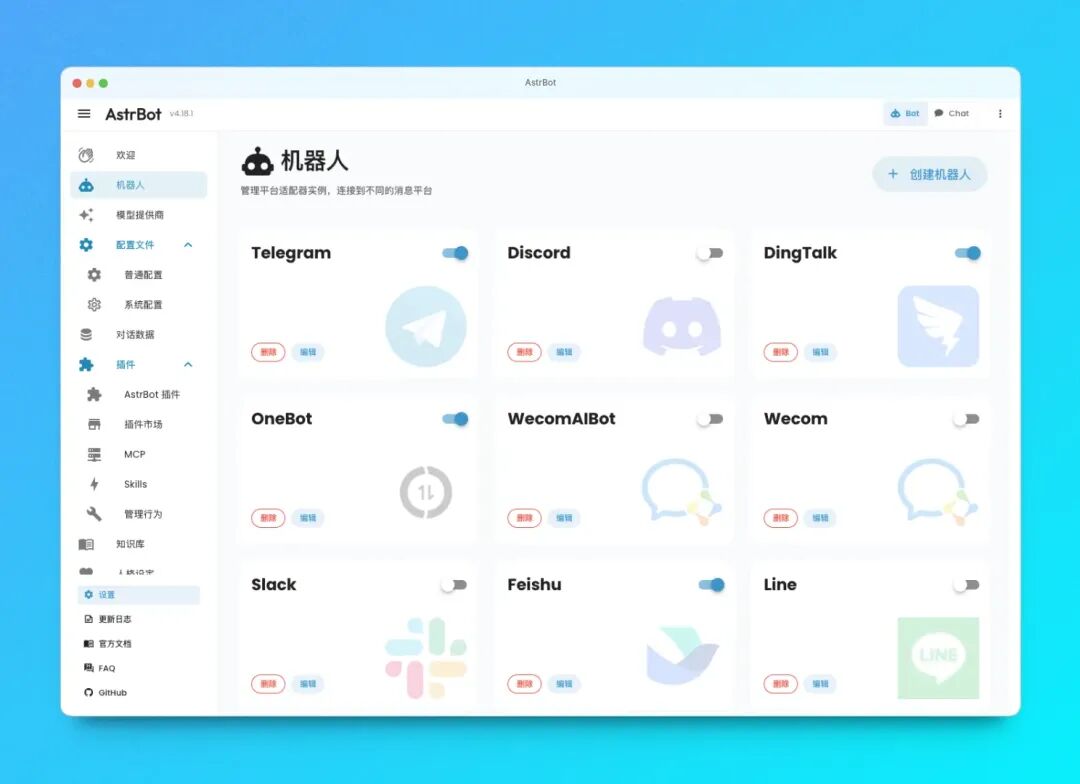
The project has surpassed 36,000 stars on GitHub, a strong signal that embedding agents into everyday chat scenarios is a real, pressing need.
Main Features
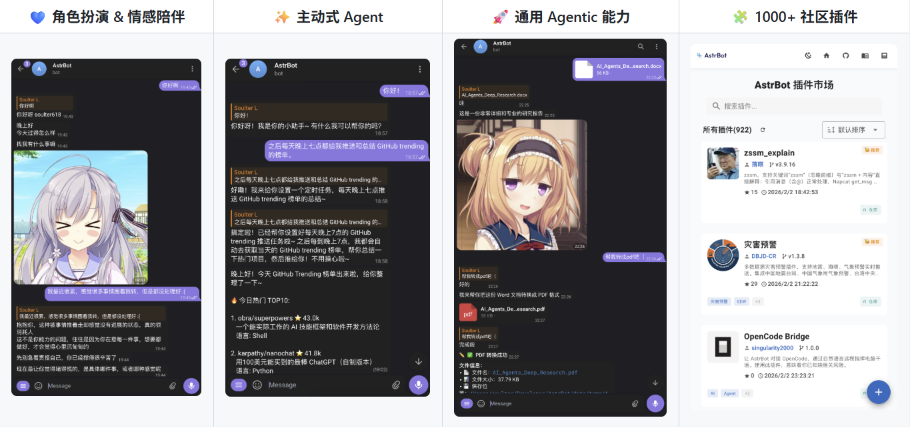
More Than Just Connecting a Chat Model
Absorb platform differences into adapters. Login methods, event formats, and message components differ across chat apps. AstrBot uses platform adapters to receive these messages and convert them into unified events, so downstream plugins and agents never have to understand each platform’s API repeatedly.
Keep common agent capabilities in one place. Multimodal dialogue, persona settings, automatic context compression, knowledge bases, MCP, Skills, and tool calling can all enter the same processing chain. When code or shell execution is needed, an Agent Sandbox isolates the runtime and reuses resources within the session.
Models and application platforms are swappable. The Provider layer manages chat models, embeddings, speech recognition, and speech synthesis, and can also hand requests to Dify, Bailian, or Coze. Switching models does not require rewriting the QQ or Feishu message entry points.
The plugin ecosystem has real scale. The official site shows the community has contributed more than 1,000 plugins installable from the admin panel. Plugins do more than add commands: they can participate in message handling, register tools, and extend platform capabilities, making AstrBot feel more like a bot runtime framework than a single wrapped application.
It stays manageable after deployment. A WebUI configures platforms, models, plugins, and knowledge bases, while the Web ChatUI provides a direct conversation entry. For users who do not want to maintain config files long-term, this is easier to inspect and adjust than gluing several scripts together.
How a Message Travels End to End
AstrBot’s core code breaks message handling into a clear pipeline. One conversation can be simplified to this path:
PlatformManager governs each platform instance; ProviderManager handles models and voice services; PluginManager scans and loads plugins; KnowledgeBaseManager handles the knowledge base. They are initialized together by the core lifecycle, then scheduled through fixed stages by the PipelineScheduler.
The processing stage also splits into two routes: a local agent can directly compose context, knowledge base, and tools, while once a third-party agent platform is configured, requests can also be handed to the corresponding runner. This layering keeps “where the message comes from” and “who provides the intelligence” independent, so adding a channel or swapping a model does not ripple across the whole chain.
The pipeline’s value is not only structural tidiness. Wake-up conditions, whitelists, rate limiting, and content checks all happen before the model call, cutting irrelevant requests; after the model produces a result, text-to-image, voice conversion, and reply sending are unified. Plugins can take over commands or supplement capabilities within the chain.
Up and Running in Three Steps
The official quick-install uses uv and requires Python 3.12. On first launch run astrbot init once to initialize the environment, then astrbot run to start.
Starting is only the first step. Next you configure the model service and at least one chat platform in the admin panel. Each platform needs its own bot credentials or connection method. For long-running servers, Docker or Docker Compose is recommended. Desktop users can choose AstrBot Desktop or Launcher.
What It Is Best Suited For
It fits anyone who needs the same assistant across multiple group chats or work channels and wants to keep adding knowledge bases, plugins, scheduled tasks, and tool calling.
Individuals can build a cross-platform AI assistant. Teams can use it as an entry point for customer service, group bots, or internal knowledge Q&A. Developers can extend their own capabilities around the unified events and plugin mechanism.
Keep in mind that platform integration is not zero-config: account credentials, model costs, data persistence, and server maintenance remain the deployer’s responsibility. With more than 1,000 plugins comes choice, and compatibility and maintenance status must be verified one by one.
Project Address
GitHub: github.com/AstrBotDevs/AstrBot