 By peter_lzh
 dbx: A 20MB Open-Source Database Client That Manages 60+ Databases
While browsing GitHub Trending last week, I spotted a project called dbx sitting near the top of the Rust charts with over ten thousand stars. I had recommended an AI-based database management client before and a lot of readers were interested, but many of them said it was not as good as dbx. Since it popped up right in front of me, I had to download it and take a proper look.
I come from a Java background, so DBeaver has been sitting on my machine for years. Every launch means waiting for the JVM to warm up first — if you know, you know. Navicat is nice but costs money, and DataGrip wants to eat your entire RAM budget. dbx, according to its description, is only 20MB yet can manage more than 60 kinds of databases. That genuinely sounded like it had something going for it.
After a few days of use, this thing really is worth talking about. So for anyone who has not heard of this database management tool yet, let me walk you through it.
What is dbx?
dbx is an open-source database client built on the Tauri 2 framework, with a Rust backend and a Vue 3 plus TypeScript frontend, using CodeMirror 6 as its editor. It is licensed under Apache-2.0, every feature is free, and the project explicitly states that it collects no usage data at all.
There are native installers for macOS, Windows, and Linux. If you would rather not install a desktop client, there is also a Docker version that runs as a web app, so a team can share a single set of connection configurations.
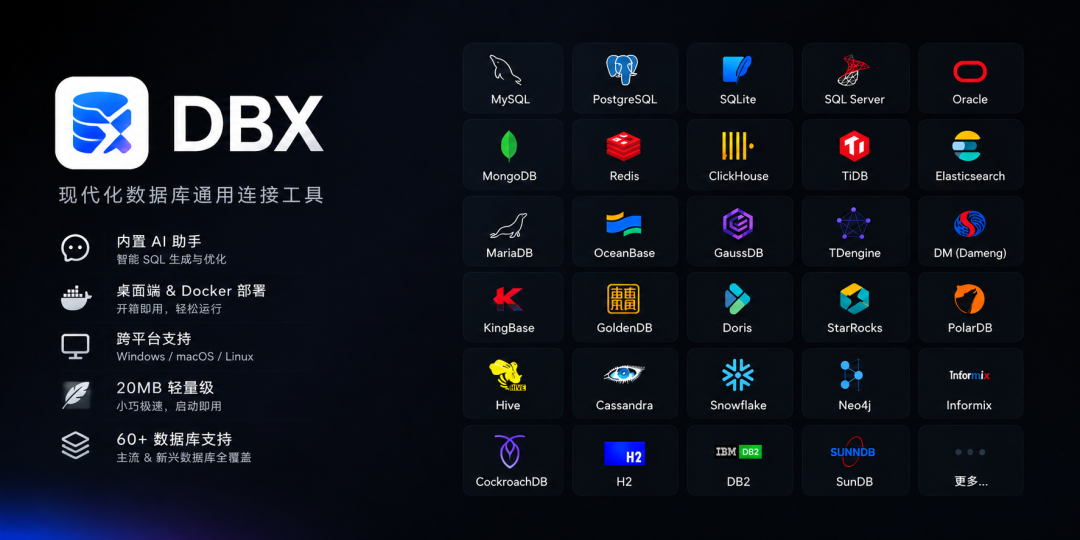
The Features That Matter Most
60+ Databases Under One Icon
MySQL, PostgreSQL, SQLite, Redis, and MongoDB go without saying. ClickHouse, DuckDB, SQL Server, and Oracle are all on the list too.
It keeps up closely with Chinese domestic databases as well: TiDB, OceanBase, openGauss, GaussDB, Dameng (DM), Kingbase, and TDengine can all be connected.
Vector-search engines such as Qdrant, Milvus, and Weaviate are supported, and it even folds in message-queue management for Kafka, RocketMQ, and Pulsar.
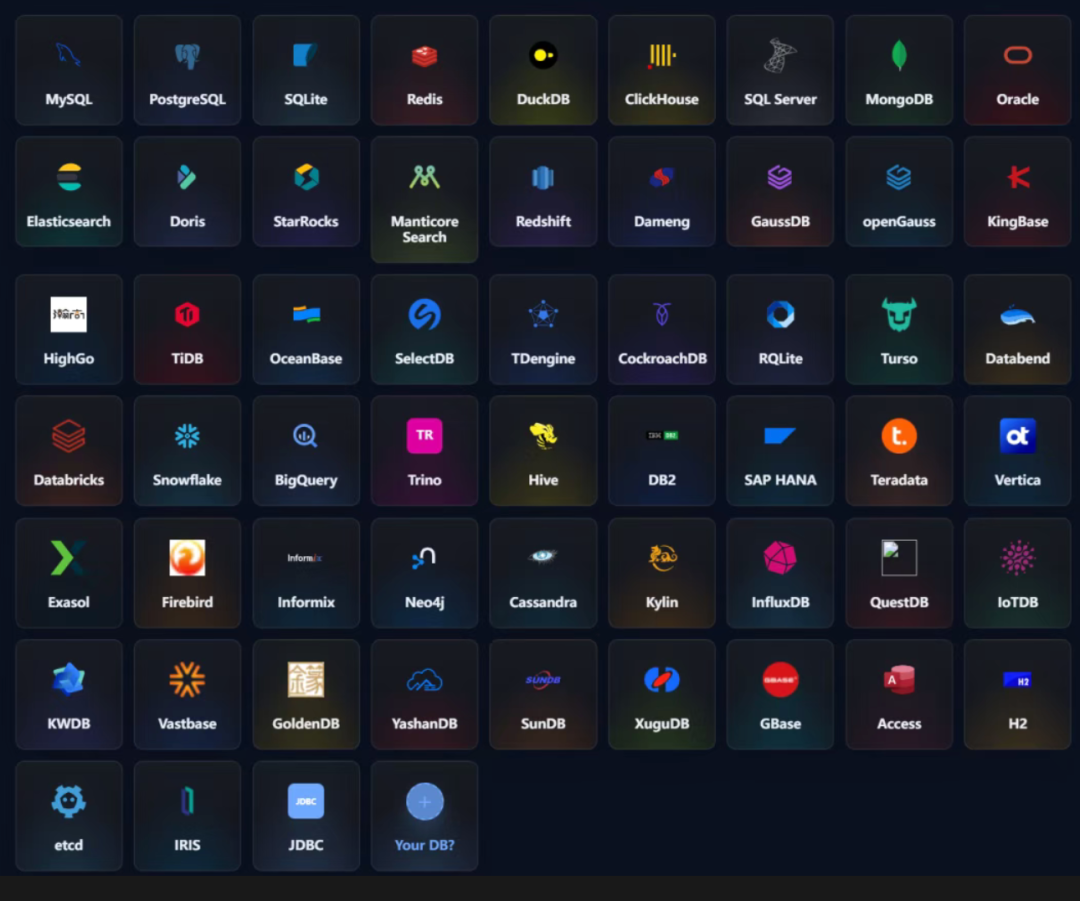
My machine used to carry one client for MySQL, one GUI for Redis, and yet another for MongoDB, and I was constantly switching between them. Now I can keep just a single icon.
A Real SQL Editor
The editor is built on CodeMirror 6. Syntax highlighting is a given, and the autocomplete is genuinely smart — it reads your table schema, so table and column names jump out as you type. Press Cmd+Enter to run, and if you have a selection it only runs that portion, which is a lifesaver when writing long SQL. Formatting is built in, no plugin required. There are nine themes, including the dark one many of us prefer.
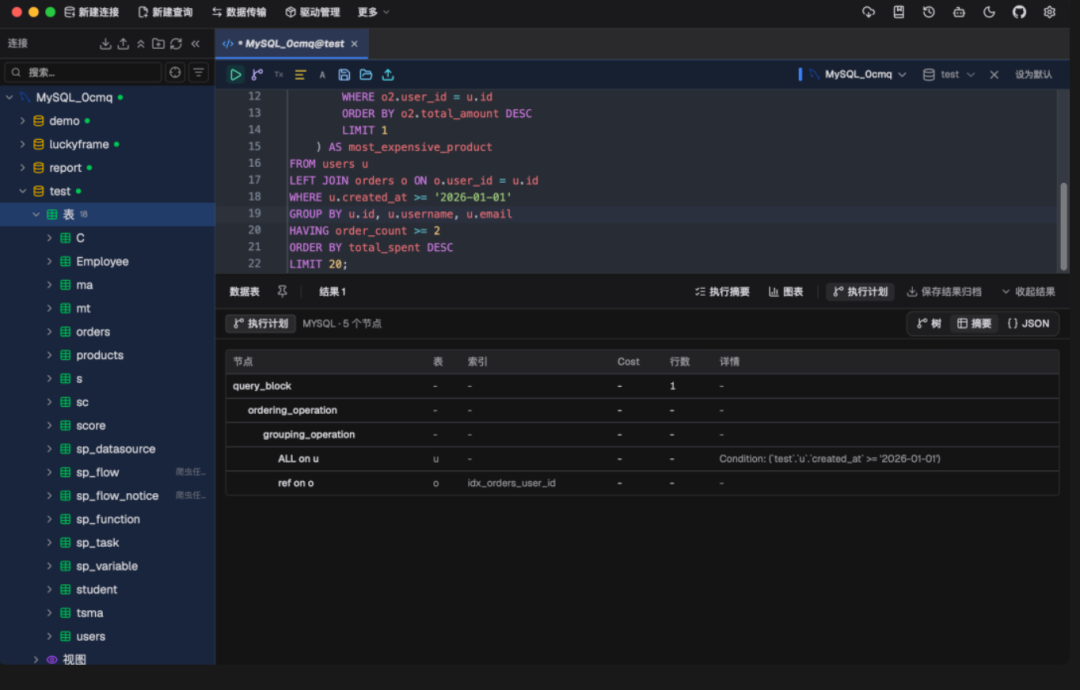
Query history is saved automatically, frequently used SQL can be stored in a snippet library and recalled later, and if you close a tab and reopen it, the content is still there. Each of these features sounds boring on its own, but the moment one is missing, the whole workflow feels off.
An AI Assistant Living Inside the Editor
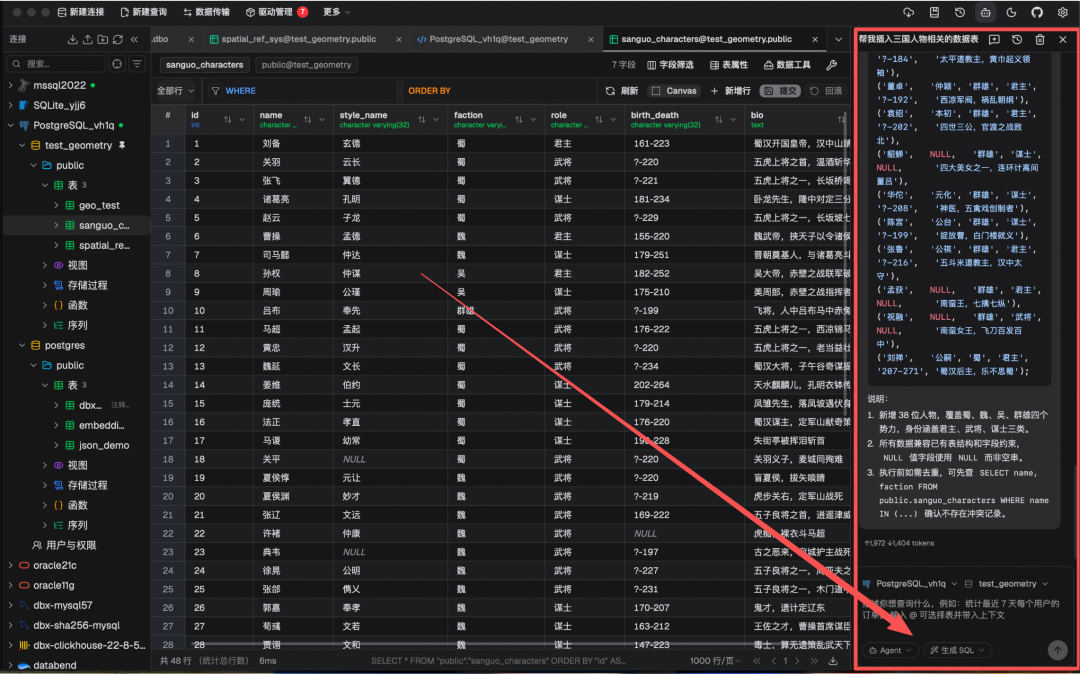
Select a table, describe what you want in plain language, and the SQL comes straight out. Hand it a statement you cannot parse and it explains exactly what that SQL does. Slow queries can be sent to it for optimization, and it can fix errors too. Any SQL it generates passes a safety check before execution, preventing the AI from accidentally dropping a table.
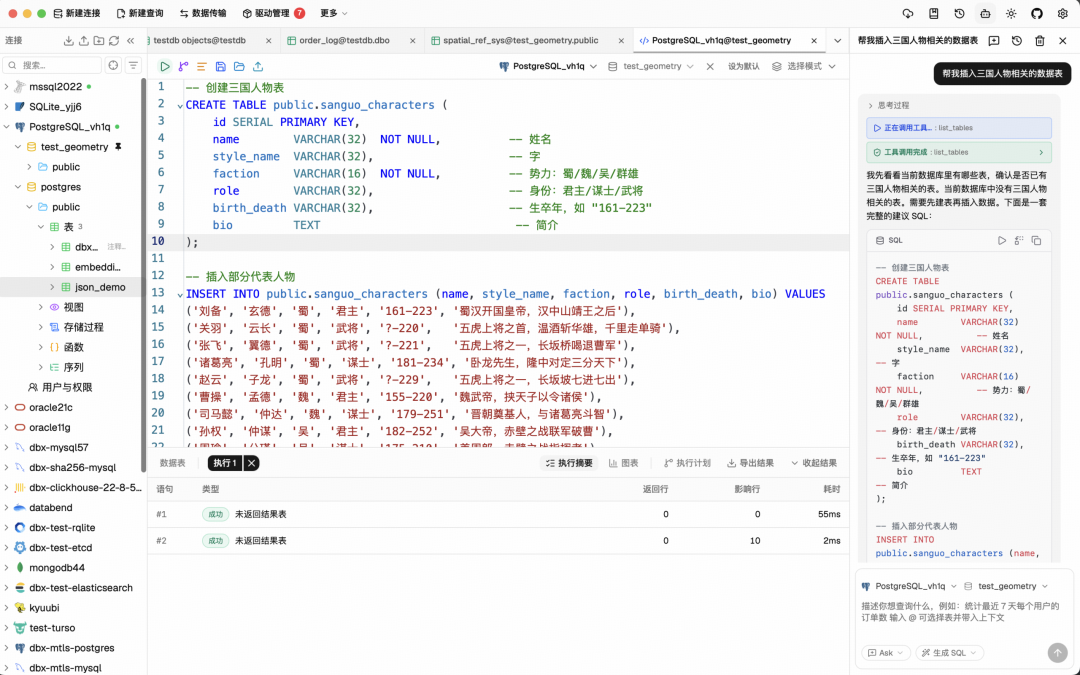
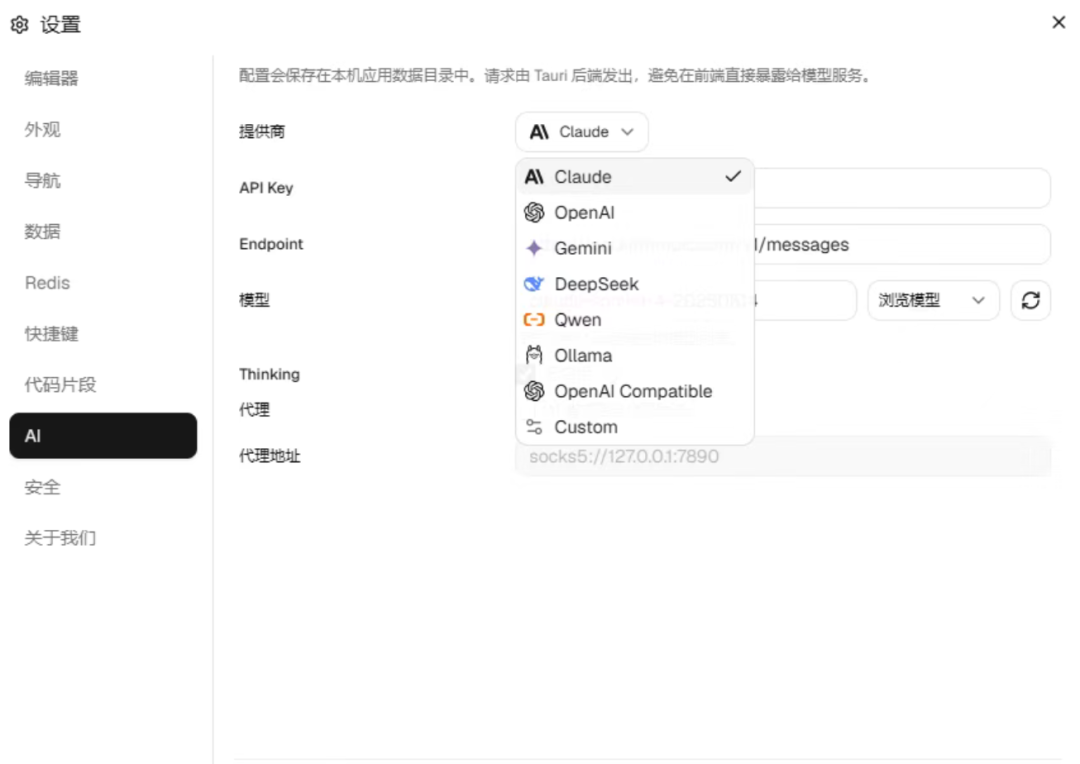
You decide which model to plug in: Claude, OpenAI, a local Ollama model, or any OpenAI-compatible endpoint. In other words, domestic models that are readily accessible such as DeepSeek, Kimi, and Tongyi can all be connected — it is not picky.
MCP: Let AI Coding Tools Query Your Database Directly
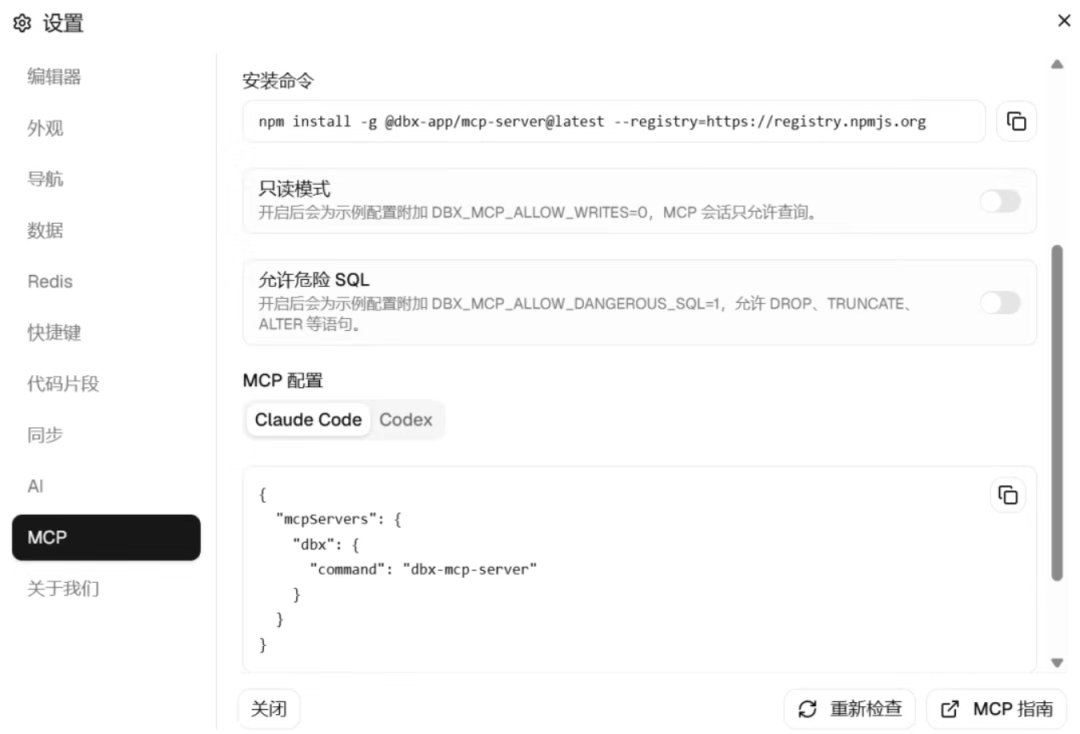
This is the most valuable feature in my view. dbx ships with a built-in MCP server. Add one line of configuration in Claude Code, Cursor, or Windsurf, and the AI can use the connections you have already set up in dbx to query the database — no more copying and pasting table schemas to feed it.
The configuration looks like this:
For terminal fans there is also a standalone CLI — npm install -g @dbx-app/cli — which works fine for scripting alongside Codex.
Data Grid and Export
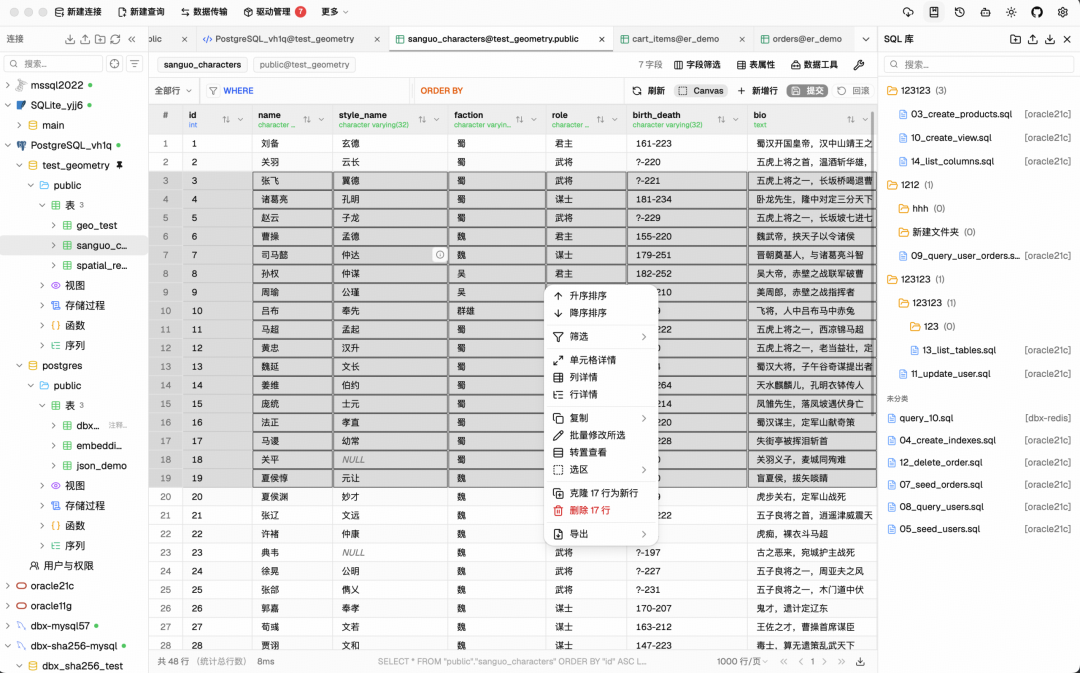
Query results use virtual scrolling, so even hundreds of thousands of rows will not drag the page to a halt. You can edit data right in the grid, and rather than writing to the database immediately, it lays out the SQL it intends to run for you to review, saving only after you confirm.
The filters are clearly modeled on DataGrip — right-click and LIKE, NOT LIKE, and the rest are all in the menu, so anyone who has used DataGrip faces basically zero learning curve.
Export formats are comprehensive too: CSV, JSON, Markdown, and XLSX are all available, and it can generate INSERT statements directly, making it easy to move data into another database.
A Full Set of Schema Tools
ER diagrams can be drawn directly, so foreign-key relationships between tables are clear at a glance. Cross-connection schema comparison is very practical — check which columns differ between your test and production databases and you know instantly. Execution plans are rendered as visual diagrams, so you can see exactly which step a slow query is stuck on without guessing from text. Column-level lineage and full-database object search are built for large databases, where finding things becomes a chore once the tables pile up.
When altering table structures, it does not act on its own: it first lists out how columns will change and how indexes will move, and only executes after you confirm.
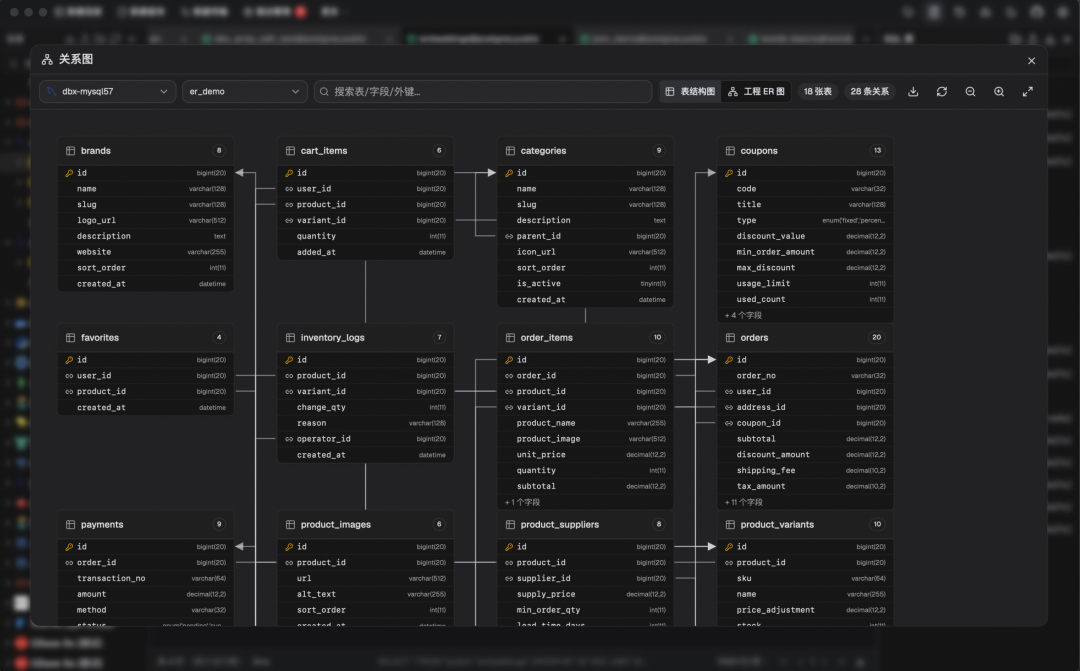
ER diagrams are a feature I have usually only seen work in paid tools.
It Handles Data Migration Too
CSV and Excel can be imported straight into tables, cross-database migration is supported, and full-database export is available. You can pull data from two databases to compare them — where they differ and what synchronization would change — and it shows you the result first.
There is one more handy touch: drag a Parquet, CSV, or JSON file in, and with DuckDB working under the hood, the file contents are previewed directly — no need to even create a table.
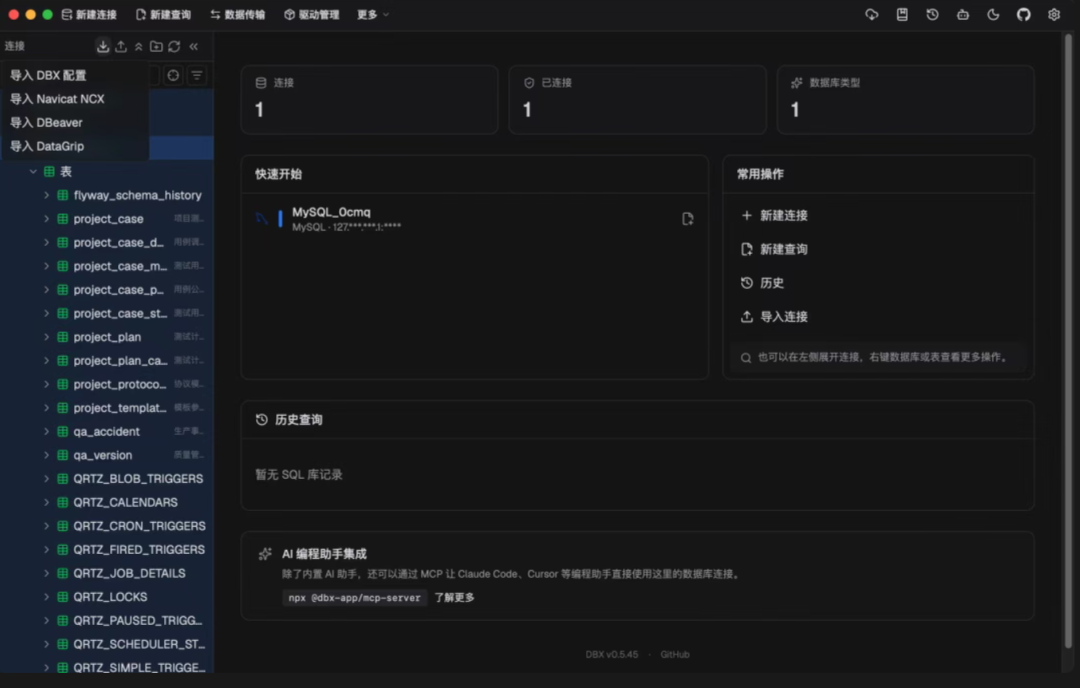
It has also thought about the cost of switching tools: connection configurations from DBeaver and Navicat can be imported directly — this one is plainly aimed at poaching users.
Redis and MongoDB Get Dedicated Treatment
Redis support here does not feel like an afterthought: keys can be searched by pattern, batch operations are supported, TTL can be edited directly, and there is a command executor for those who want to type commands. All six types — String, Hash, List, Set, ZSet, and Stream — have their own display format, rather than being mashed into a single blob of text.
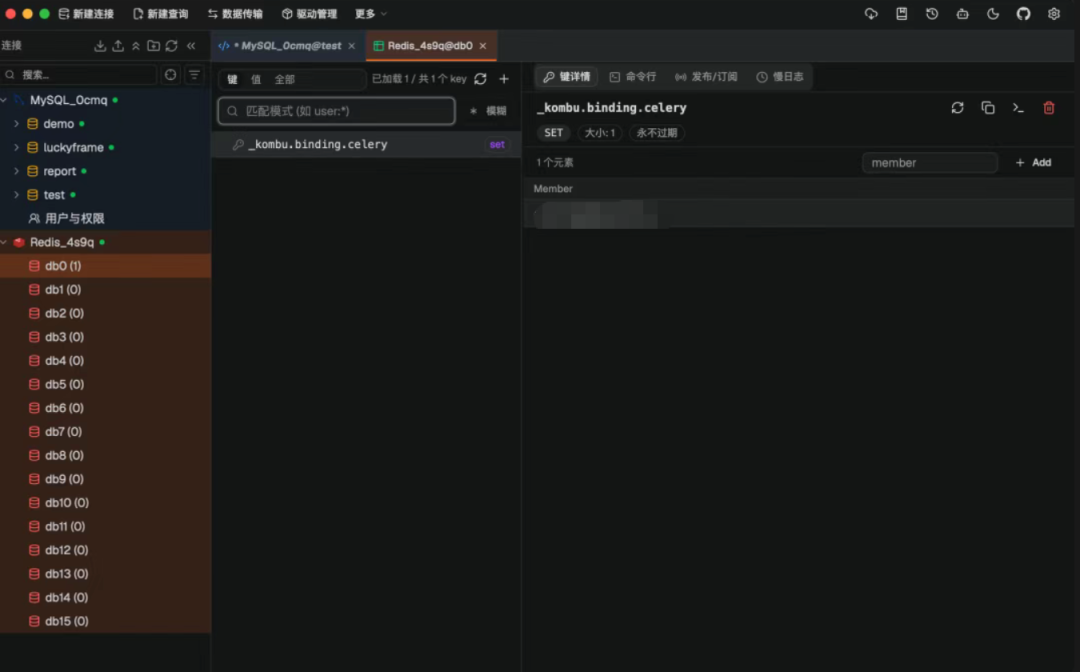
MongoDB gets document-style create, read, update, and delete with pagination, and you can connect Atlas and replica sets simply by filling in the connection string.
Security Is Not Skimped On
SSH tunnels support both key and password authentication, which is enough for jump-host environments. Proxies are configured separately — one for the database, one for the AI — so those on strict corporate networks can tune them independently. Dropped connections reconnect automatically, destructive operations like deleting data pop up a confirmation dialog, and exported configuration files are encrypted.
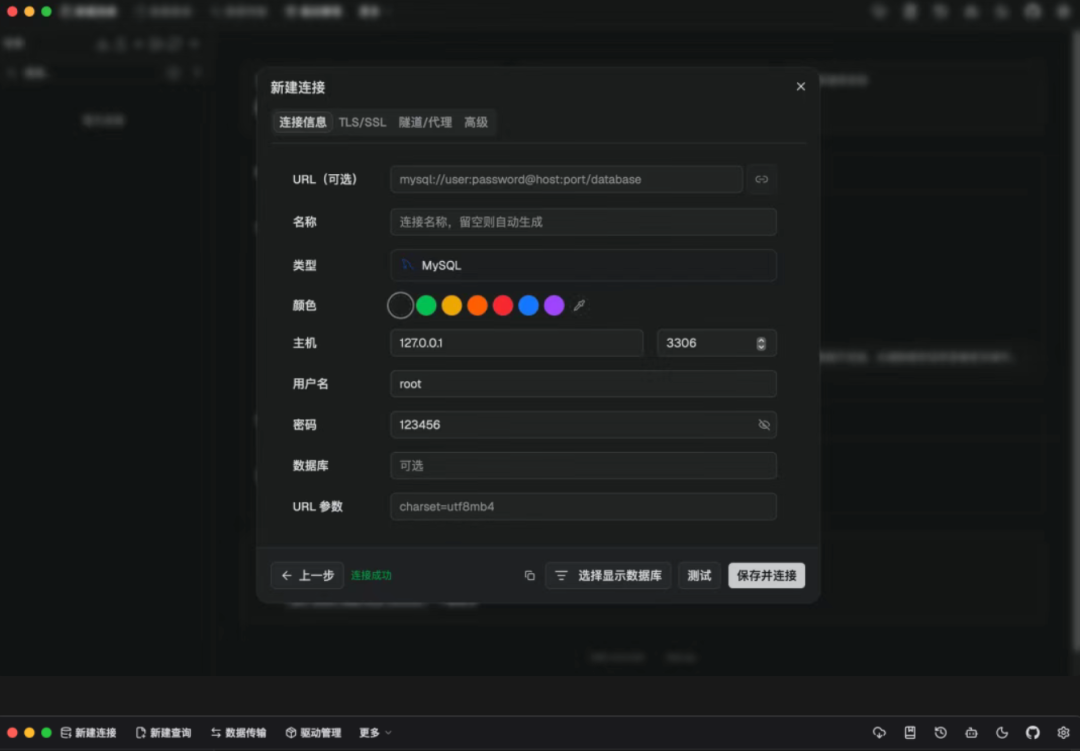
Connections can be color-tagged; my habit is to mark all production databases red, so one glance tells me this window is not to be messed with.
Give It a Try
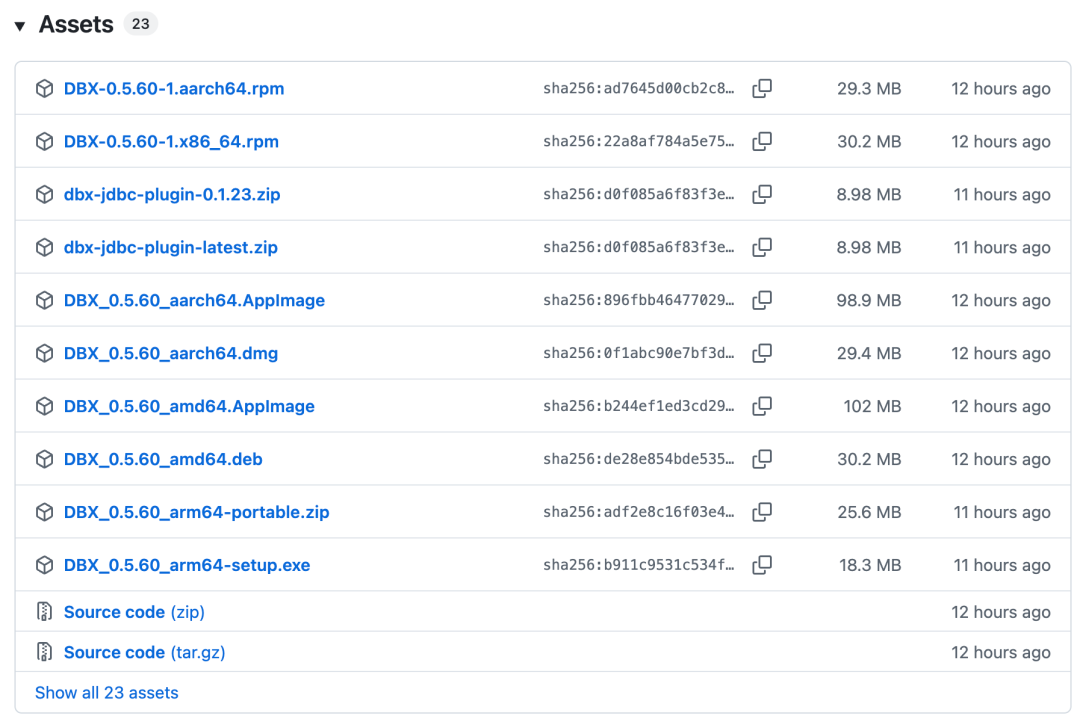
On macOS, use Homebrew directly. On Windows, use Scoop or WinGet. You can also grab the installer straight from the GitHub Releases page.
If your team wants the web version, it is a single Docker command. Open http://localhost:4224 in your browser and you are ready to go.
Final Thoughts
For a client that is only around 20MB, dbx packs in an impressive range: 60+ databases, a genuine SQL editor, a built-in AI assistant with an MCP server, comprehensive schema tools, data migration, and solid security — all under a free Apache-2.0 license. If you have been juggling multiple database GUIs, this open-source database client is well worth trying as a single replacement.