 By peter_lzh
 claude-video: A Skill That Lets Claude Actually Watch Videos (I Installed It and Never Removed It)
These days on GitHub, the claude-video project is climbing fast. When I clicked in it already had over 9,300 stars.
I studied it and the reason is clear: it solves a big pain point. Claude Code can read web pages, run scripts, and dig through an entire repository, but it simply cannot watch videos. When we throw a video link at it, it either guesses from the title or pulls a subtitle file and summarizes blindly. Yet much of a video’s substance is not in the subtitles: demo footage and UI operations are all on screen.
claude-video adds a /watch skill to Claude. We hand it a video link or a local file with a question, and it downloads, extracts frames, and transcribes; Claude reads each frame as an image before answering, so it has truly seen the video.
What Is This Project
The claude-video repository is essentially one SKILL.md plus 7 Python scripts, all using only the standard library with no third-party dependencies.
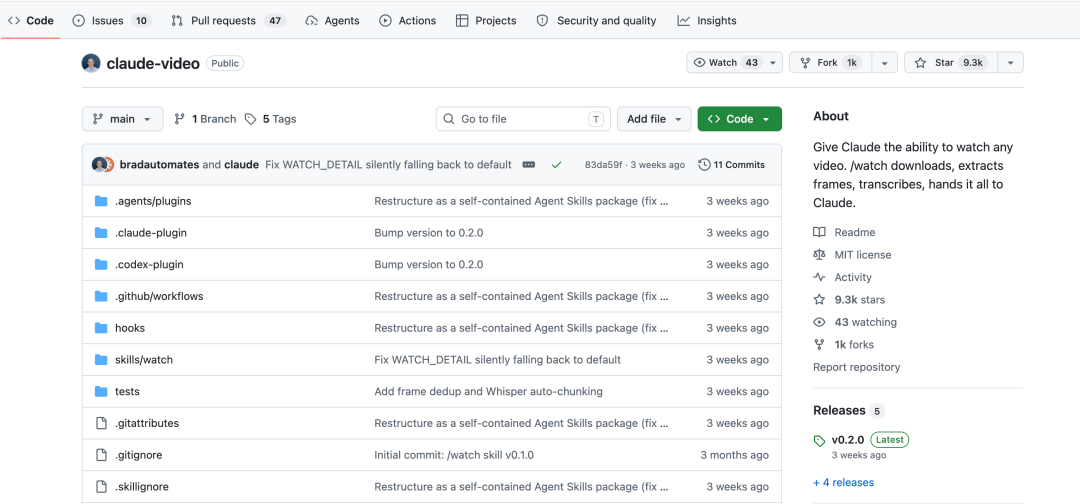
It is an Agent Skill, not a standalone app. Install it once and it works in Claude Code, claude.ai web, and Codex. This skill format can now attach to more than 50 agents.
The principle breaks down into four steps:
- yt-dlp downloads the video, supporting YouTube, TikTok, Loom, X, and Instagram; local mp4, mov, mkv, and webm files are read directly.
- ffmpeg extracts frames, with the count auto-computed from duration.
- Subtitles first: grab the video’s own subtitles; if none, send the audio to the Whisper API for transcription.
- Frames and timestamped subtitles go to Claude together; it reads frame by frame before answering.
Features, Taken Apart
Watch a Video with One Command
One format: /watch plus the video address plus your question.
Frame Extraction Has a Budget
Frames are the big Token cost; each frame is an image. To avoid a large video silently draining your Tokens, the author added automatic control:
Two hard caps: at most 2 frames per second, at most 100 frames total. Frames default to 512-pixel-wide JPEG to control context size.
Subtitles First, Whisper as Fallback
Transcription splits into two paths. If the video has its own subtitles, grab them directly; human or platform auto subtitles both work, and this path costs nothing and needs no key. If there really are no subtitles, such as local screen recordings or some TikTok videos, send the audio as mono 16kHz to Whisper. Groq’s whisper-large-v3 is recommended, cheap and fast, with OpenAI’s whisper-1 as backup. The key goes in ~/.config/watch/.env with 0600 permissions. If you do not want Whisper, add –no-whisper to look at frames only.
Long Videos Use Focus Mode
Extracting all frames from a 30-minute video yields only 100 sparse screenshots: poor results and wasteful Tokens. The right approach is to bracket the time range. Focus mode has higher frame density, still under the 2-frames-per-second cap.
To Read On-Screen Text, Raise the Resolution
The default 512-pixel frame is enough for the picture but struggles with PPT text or terminal commands. Add –resolution 1024 to double the frame width, and Claude reads on-screen text reliably.
A few more common parameters:
- –max-frames caps frames to save Tokens.
- –fps sets the frame rate manually.
- –out-dir specifies the working directory.
Quick Start
Using Claude Code as an example, two commands:
Codex users clone instead. For claude.ai web, download watch.skill from the release, add it under Settings to Capabilities to Skills, and remember to enable Code execution first.
The first time you run /watch it self-checks. On macOS, missing ffmpeg and yt-dlp are auto-installed via brew; Linux and Windows print specific install commands to copy. Subsequent pre-run checks take under 100 ms, unnoticed.
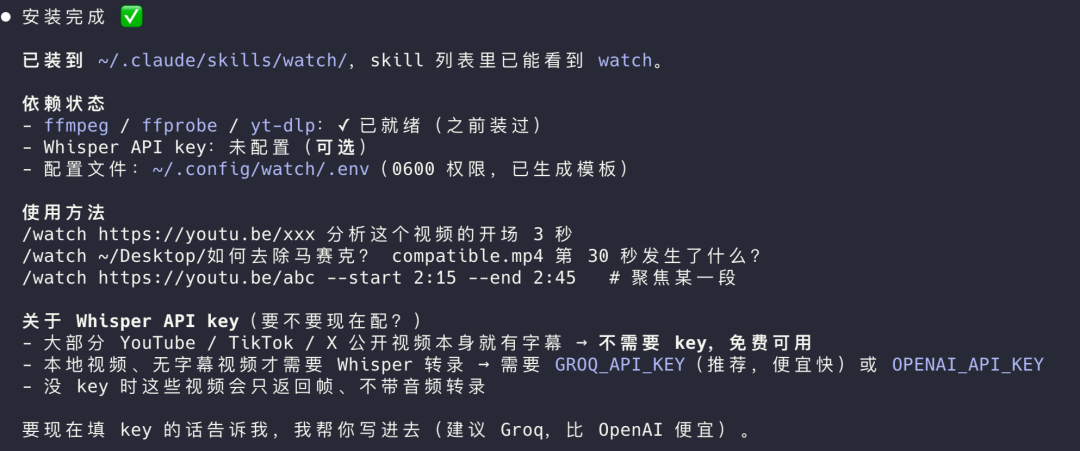
Hands-On: Practice with a Douyin Video
Talk is cheap, so I found a Douyin explainer of “The Pursuit of Happyness.” The movie is a classic; I bet 90% of you have seen it. Go watch it if you have not; I have watched it at least three times.
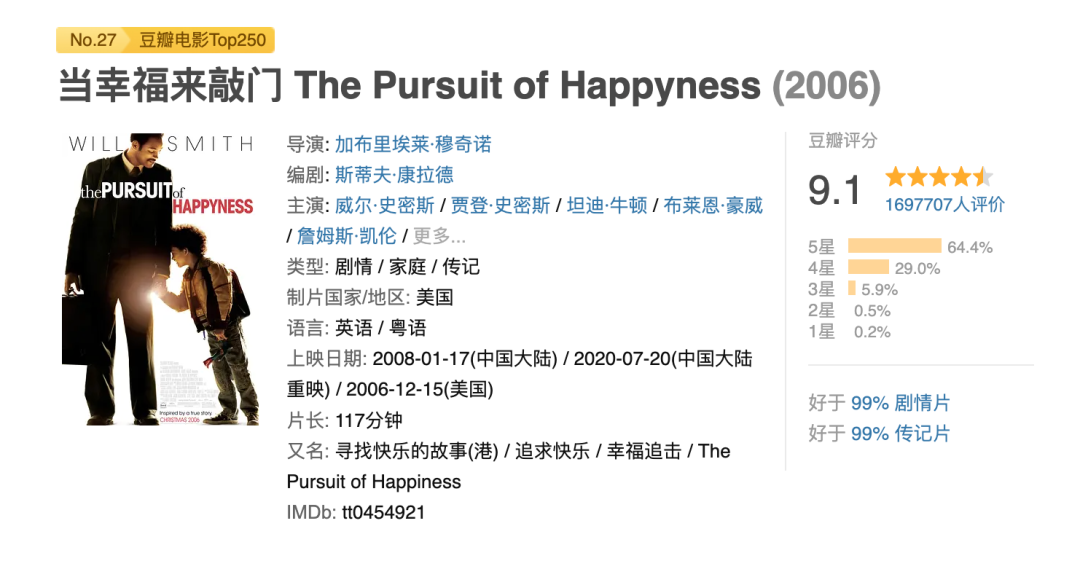
Full run:
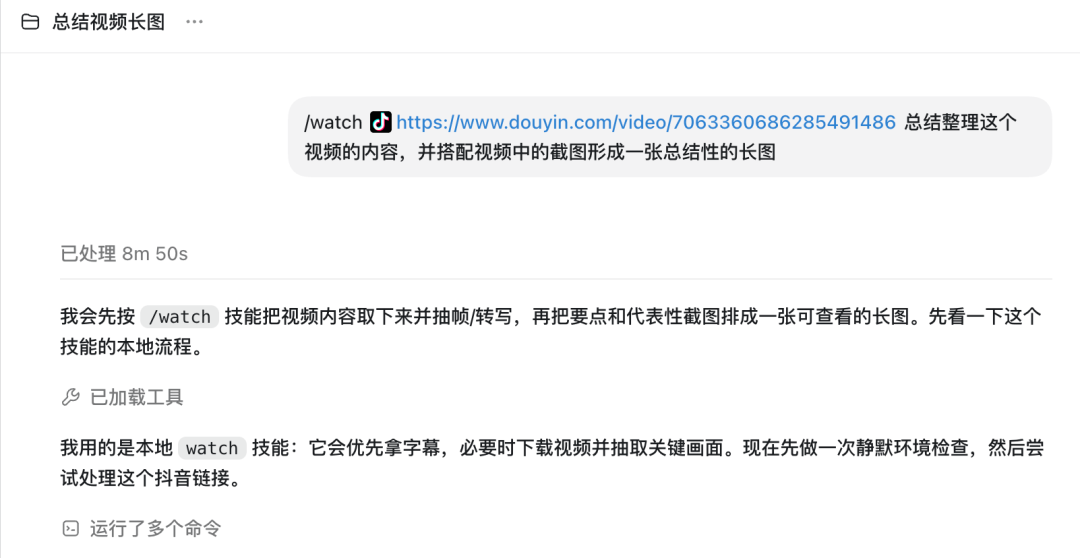
This link incidentally verified two things: Douyin is in yt-dlp’s support list and the link parses and downloads directly; Douyin videos have no external subtitle track, so transcription was handed to Whisper. So before running, configure Groq’s key; without it, it only looks at frames and cannot hear.
Let us look at the final result:
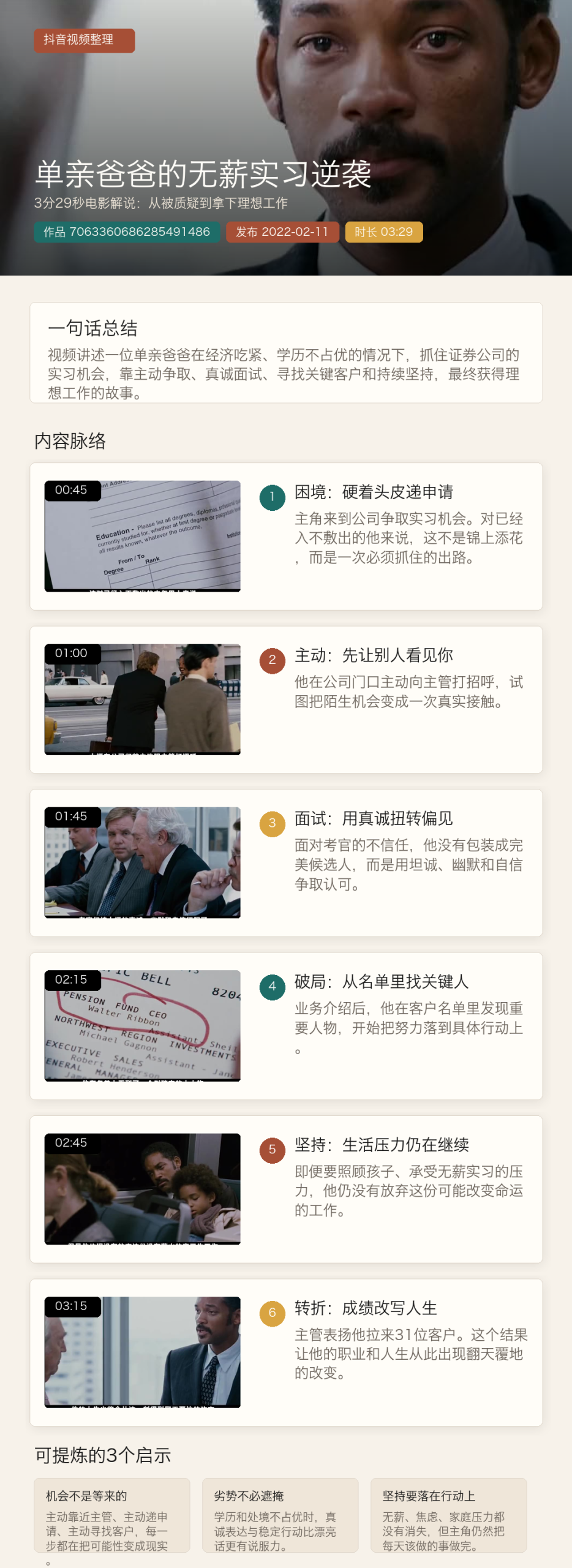
If you want to try more, I suggest these questions, which best show the difference from “subtitles-only” tools:
- What is on screen in the first few seconds? How is the hook designed?
- Which classic scenes from the movie appear in the video?
- Summarize this video into three key points.
My most direct impression: its answers carry visual detail, pointing to scenes and character actions in the movie, not the bland “this is an inspirational video.”
What It Is Good For
This is genuinely useful. A few examples, far from exhaustive:
- Break down viral videos: when someone’s video goes viral, ask directly: what is the first 3 seconds of the picture, how is the hook designed? This used to mean taking notes by hand while watching.
- Read bug recordings: a colleague or user sends a fault recording; throw it over and ask which step went wrong, and it locates the exact frame and describes the on-screen state, often without you even opening the video.
- Dehydrate long videos: a 20-minute video is rarely worth 20 minutes. Have it pull the subtitles and give a summary, read a few lines, then go back to the original to verify the important parts.
One reminder: downloading others’ videos for your own analysis is fine, but do not redistribute them or wash someone’s carefully made video into a publish; that raises copyright issues.
My Take
The most valuable part of this project is not the features but the thinking. Claude lacked video input, and the author did not wait for the official solution. Using two old tools, yt-dlp and ffmpeg, they built a pipeline, and one person in two and a half months reached over 9,300 stars. That is the low cost of the Skill format: one prompt plus a few scripts patches a model’s capability gap.
The drawbacks are also clear: past 10 minutes accuracy drops, and long videos must bracket the time range. Videos without subtitles need a Whisper key, one more step of fiddling. Private platforms are unsupported; if yt-dlp cannot reach a link, neither can this.
For people living in Claude Code every day, this skill is the kind you install and never regret.