 By peter_lzh
 4 Hardcore and Surprisingly Useful GitHub Open-Source Projects Worth Trying
01 pindrop
This is a menu-bar speech-to-text app built specifically for macOS. Based on WhisperKit, it runs local offline speech recognition — no internet connection required, and no voice data is ever uploaded, maximizing privacy.
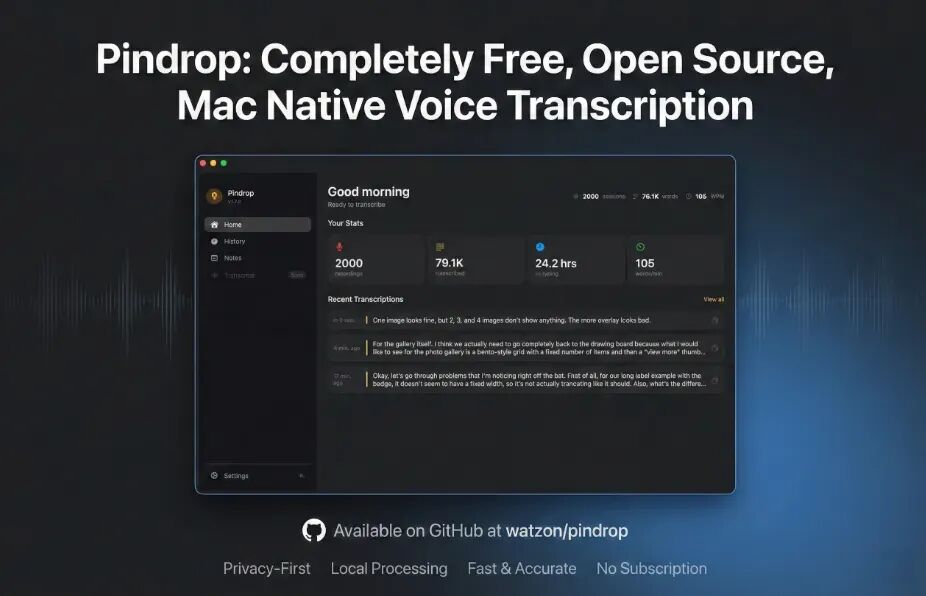
It is built with native Swift/SwiftUI, runs especially smoothly on Apple Silicon, and consumes very little power. It supports a global hotkey to trigger dictation for instant use, saves transcription history for easy review and editing later, and allows custom dictionaries to fit professional terminology across industries.
For anyone who frequently does voice input on a Mac and cares about privacy — such as quickly jotting down meeting notes at work or dictating drafts while writing — it is especially handy.
GitHub: github.com/watzon/pindrop
02 Andclaw
Andclaw is a tool that lets AI simulate human operations on an Android phone. It runs entirely locally on the device — no root permission needed, and no connection to a computer or ADB required — making it simple to operate.

It relies on Android’s accessibility service to achieve screen perception, simulated taps, swipes, and input — a whole range of human actions. It supports Telegram remote control so you can operate it without being at the phone, and also handles multimedia recording and device management, making it quite full-featured.
Whether you are a developer needing automated Android app testing, or someone with unattended device operations and batch phone-task needs — such as batch clock-ins or auto-replies — it fits well.
GitHub: github.com/andforce/Andclaw
03 PDF-Slides-to-Handouts-Converter
This is a PDF handout converter that runs purely in the browser. Files are never uploaded to a server; all processing happens locally, protecting document privacy and removing any leak worries.
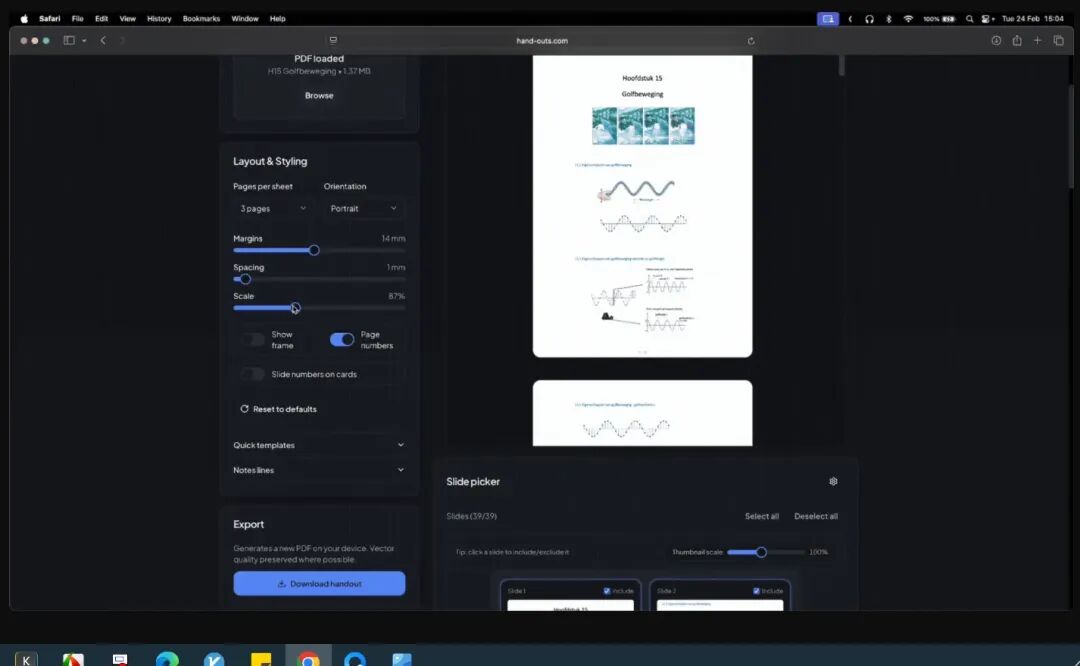
It can generate printable handouts from PDF presentations in layouts of 1, 2, 4, 6, or 9 pages per sheet. You can freely adjust margins, add note lines for later handwriting, filter which pages to convert, hide repeated elements, and preview the result in real time — adjusting anytime you are not satisfied.
It is ideal for students, teachers, and professionals: printing class materials, preparing lecture handouts, or printing meeting documents — converted and printed, saving paper and easy to read.
GitHub: github.com/flodlol/PDF-Slides-to-Handouts-Converter
04 openhare
openhare is a cross-platform AI-assisted SQL client that supports Windows, macOS, and Linux, and connects to a wide range of common databases to meet different devices and database needs.
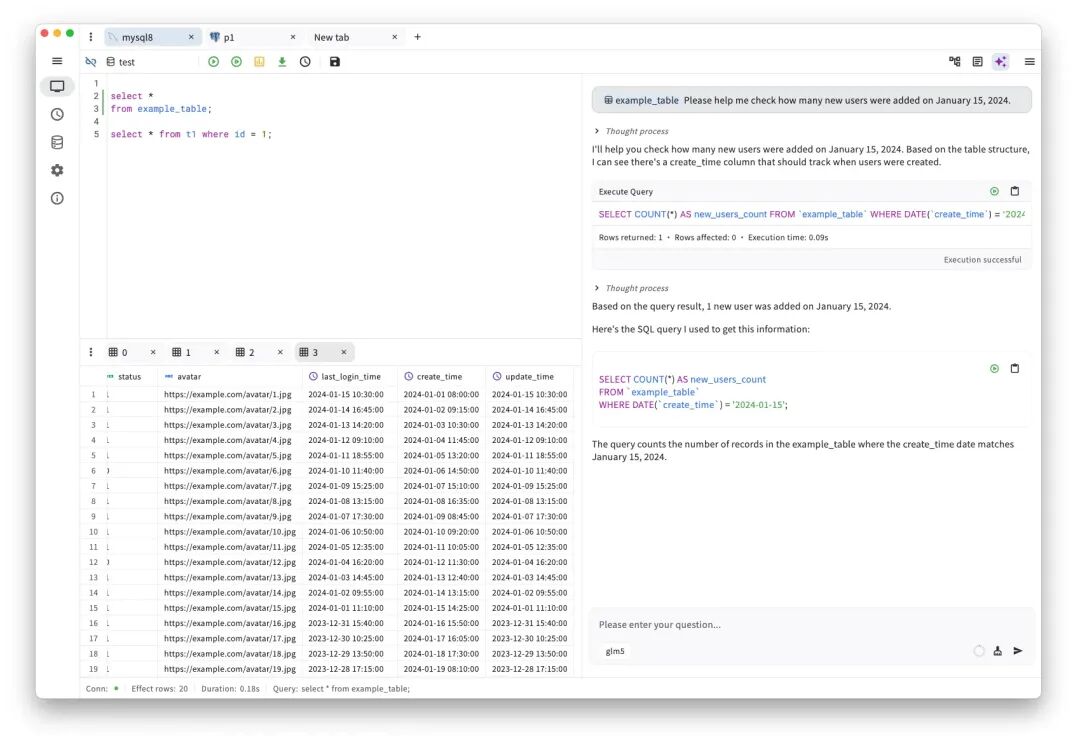
It ships with AI assistance that helps you write SQL quickly, optimize existing statements, and understand queries you cannot read. The interface is clean and easy to use, requiring no complex configuration to get started.
For developers, data analysts, and DBAs doing daily database management, query debugging, and data extraction, it can greatly improve efficiency — a genuinely practical tool.
GitHub: github.com/sjjian/openhare