 By peter_lzh
 Firecrawl: The 155k-Star Open-Source Web Scraping Tool That Finally Lets My AI Read Web Pages
Every single day I have AI do one thing for me: go online and gather information — watching the GitHub trending list, flipping through project docs, scanning hot news. I rely on it almost entirely.
But Codex’s built-in web access is genuinely weak. It can read static HTML, but the moment it hits a JavaScript-rendered page it goes blind, pulling back an empty shell and then earnestly telling me the page has no content. No content, my foot — I open it in my own browser and it is right there. Later I hooked up Firecrawl, and for the same page clean Markdown came straight out. That was the moment I decided it deserved an article.
This open-source project now has 155,000 stars, ranking in the top 100 across all of GitHub. It is widely used and relatively mature.
What This Project Does
Firecrawl is an open-source web-data API, released only in April 2024, and what it does is remarkably simple: you hand it a URL and it returns clean Markdown, structured JSON, or a screenshot. That is it.
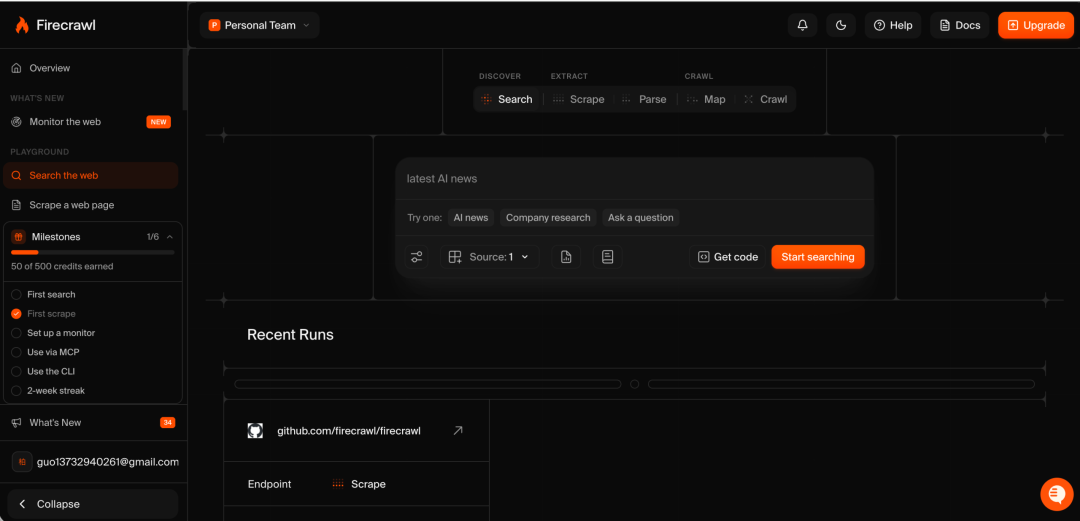
The value lies here: web pages are built for humans, not for AI. Navigation bars, ads, footers, pop-ups — it is all stuffed into the HTML. Feed that straight to a model and an ordinary page can devour tens of thousands of tokens, most of them garbage. Firecrawl extracts only the main content; the official claim is a 93% reduction in input tokens.
The numbers back it up: 1.25 million developers, 150,000 companies using its service, and SDK downloads on npm and PyPI totaling 2.5 million per week.
Feature Deep Dive
Scrape a Single Page
The most basic use, and the one I call most often. Give it a URL and it returns the main content as Markdown. For JS-rendered pages it renders them itself before extracting the content, handling all the dirty work — proxies, anti-scraping, waiting for loads — so we never have to.
Beyond Markdown, you can also request raw HTML, a page screenshot, or page metadata. Attach a schema and it returns JSON by field — say, only the title and price, nothing else.
One point I use a lot: it can directly parse PDFs and DOCX files hosted on web pages. Many whitepapers and financial reports are PDFs sitting on official sites; you used to have to download and process them separately, but now that step is gone.
Crawl an Entire Site
Scrape handles one page; Crawl handles a whole site. Give it a starting URL and it follows the links to pull back every page across the site.
Depth, page-count limits, and path filters are all configurable. When I was building a RAG knowledge base, importing an entire documentation site was a one-command job. The SDK polls task status itself and returns everything at once when done — no need to write a loop and wait for results.
List All URLs with Map
Want to know how big a site is before scraping? Run Map first. It fetches no content — it just lists every indexed URL under the domain, returning in seconds.
It can also take a search term. If I only want the pricing-related pages on a site, I add a search parameter to Map and get results sorted by relevance. This has saved a lot of effort when writing competitor-monitoring scripts.
Web Search
No URL needed — just give it keywords. It searches the web and brings back the full page content of each result along with it.
The old approach was two steps: search, then scrape, with deduplication to handle in between. Firecrawl delivers results in one step, ideal for deep-research agents.
Agents That Work Autonomously
You do not even need to provide a URL. Say “find Notion’s pricing plans” and it searches, reads, and returns results with source links.
Attach a schema for structured output. There are two model tiers: spark-1-mini is 60% cheaper and good enough for daily use; spark-1-pro costs more and suits comparing across multiple sites or drilling through complex navigation. I usually use mini and only switch to pro when the results are clearly off.
Page Interaction
Some data hides behind a click — e-commerce search results, lists that require pagination — beyond the reach of ordinary scraping.
Interact fetches the page first, then you direct it in plain language: “search for mechanical keyboards, click the first result.” It actually operates the page and returns the result, and the output even includes a link to a live browser view so you can watch it clicking. The first time I saw this live view, I screenshotted it and posted it in a group chat — it felt like sci-fi.
Plug It Into AI Coding Tools
This part is the real reason I am writing this article. It has an official MCP server, and MCP clients like Cursor, Claude Code, and Windsurf can use it with just a few lines of config — over 400,000 installs.
Claude Code and Codex also have ready-made Skills, installable with a single command. Once installed, my Codex gained the full arsenal of search, scrape, and crawl, plus page interaction — and that is exactly how the “going blind” problem was cured.
Hands-On
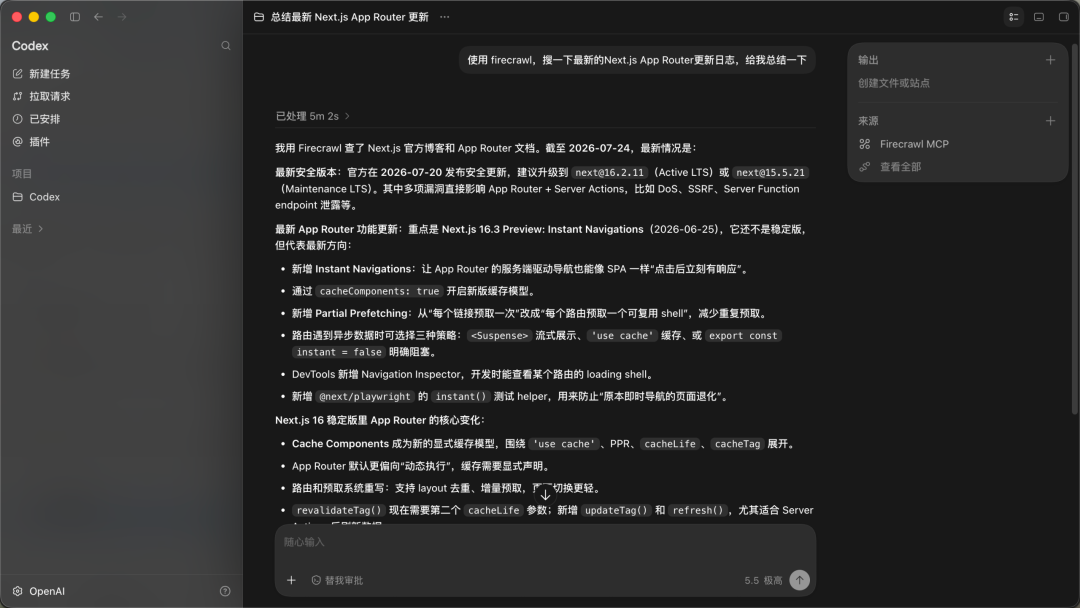
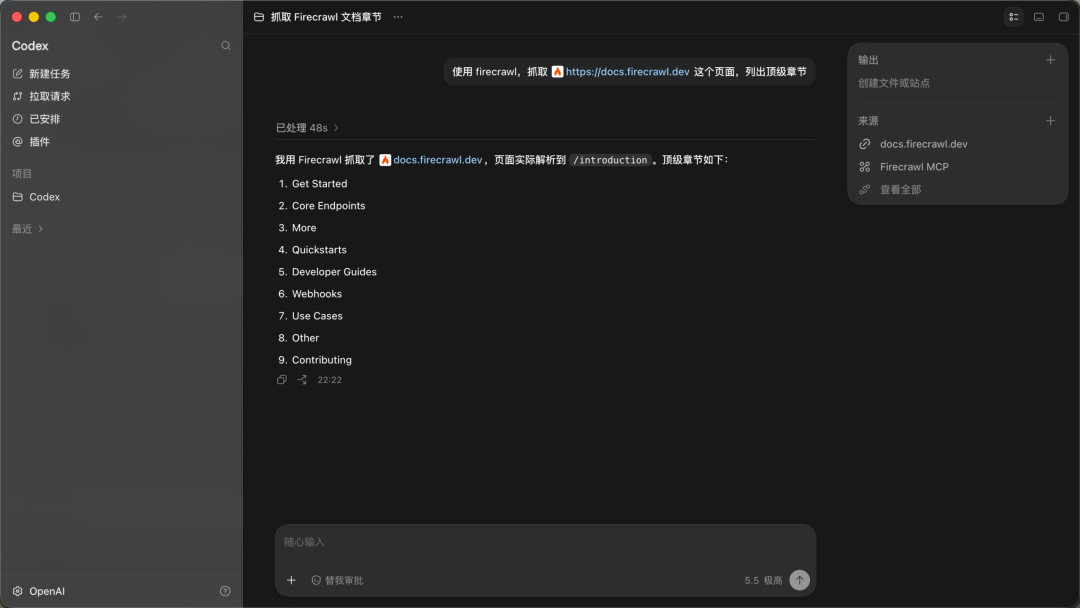
I use Codex. Right after installing, I tried two tasks:
Two possible pitfalls to flag in advance: a spawn npx ENOENT error means Node is not installed locally — just install Node 18 or higher. If you really do not want to install Node, there is another way: instead of running npx locally, switch the config to point at a remote address.
Who It Is For
- RAG builders: Use it to load documentation and reference sites into your knowledge base — far less hassle than hand-written scrapers.
- Competitor monitoring: Crawl rivals’ official sites and pricing pages on a schedule, with field-level JSON going straight into your database.
- AI coding enthusiasts: Hook up Claude Code or Codex to MCP and the AI gains reliable eyes, no longer guessing from stale training data. I fall into this category, and it is where I use it most heavily.
Platforms like n8n, Zapier, and Lovable also offer ready-made integrations, so you can connect it without writing code.
My Take
This project is popular for good reason. Web scraping is dirty work — anti-scraping, proxies, JS rendering — and building your own stack is exhausting, with endless maintenance afterward. Firecrawl packages all of this into a single API, with output already aligned to what AI wants. Why not spend the saved time on real work?
But two things I must be clear about. Its web coverage is officially 96%; the remaining 4% are mostly the most heavily protected sites — if it cannot scrape them, it cannot, so do not expect it to be omnipotent. When hand-coding is required, you still have to hand-code. The open-source version is under the AGPL-3.0 license, so think through the licensing for commercial use first; if you cannot, use the cloud version and do not plant a landmine for yourself.
Scraping itself also has compliance boundaries. Firecrawl respects robots.txt by default, but the responsibility for playing by the rules lies with the user. What you scrape and how you use it is on you. Compliance is mandatory — do not do things you are unsure about.
155,000 stars are not faked. Web data is foundational infrastructure that no AI application can avoid, and Firecrawl is currently the strongest open-source contender in this niche. I have used it for several months and, so far, have found no reason to replace it.