 By peter_lzh
 RAGFlow: Building an Enterprise AI Knowledge Base with an 86k-Star Open-Source RAG Engine
AI is getting smarter by the day, and it is quietly reshaping how many of us work. Tools we once relied on now sit unused. Do you feel the same way?
Because AI-driven automation is genuinely convenient, we have long been searching for an enterprise-grade AI knowledge base to manage a company’s internal documents and our own scattered files — so we no longer face the frustration of not remembering a file when we need it, and not finding it when we do.
Recently we have been trying out RAGFlow, and it is impressive enough to deserve a dedicated article. RAGFlow can do far more than knowledge bases, but this piece focuses on one question only: can it serve as an enterprise knowledge base, and how well?
What Is RAGFlow
It is an open-source RAG engine, and its job can be summed up in one line: parse the piles of PDFs, Word docs, Excel sheets, and scanned files inside a company, chunk and store them, and when an employee asks a question, the large language model consults the material first, then answers — attaching the sources at the end.
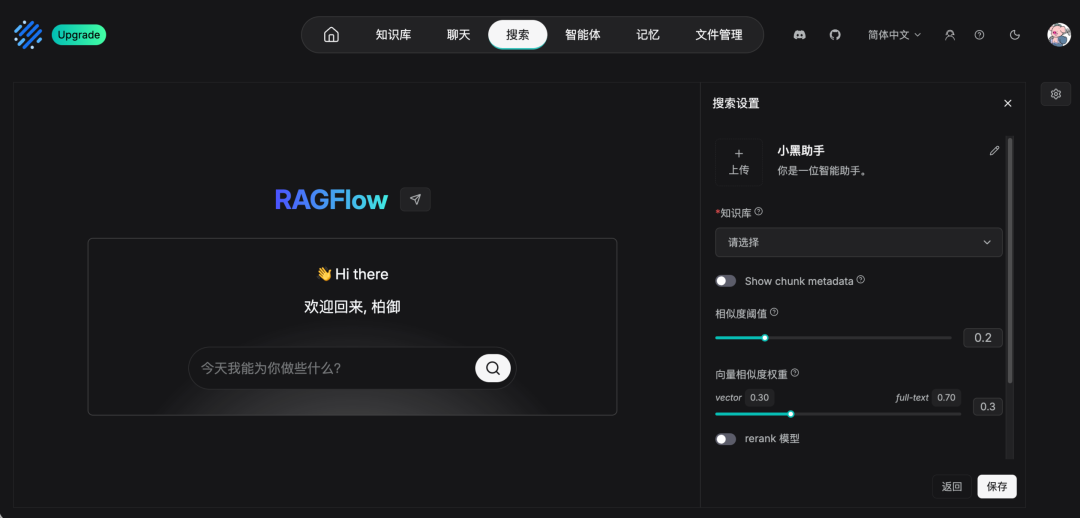
A few hard facts:
- 86,000 GitHub stars, Apache 2.0 license — free for commercial use
- Docker self-hosted deployment — data never leaves your intranet
- Built by a Chinese team, with mature English and Chinese documentation and community support
Feature Deep Dive
It Can Ingest Even Messy, Complex Documents
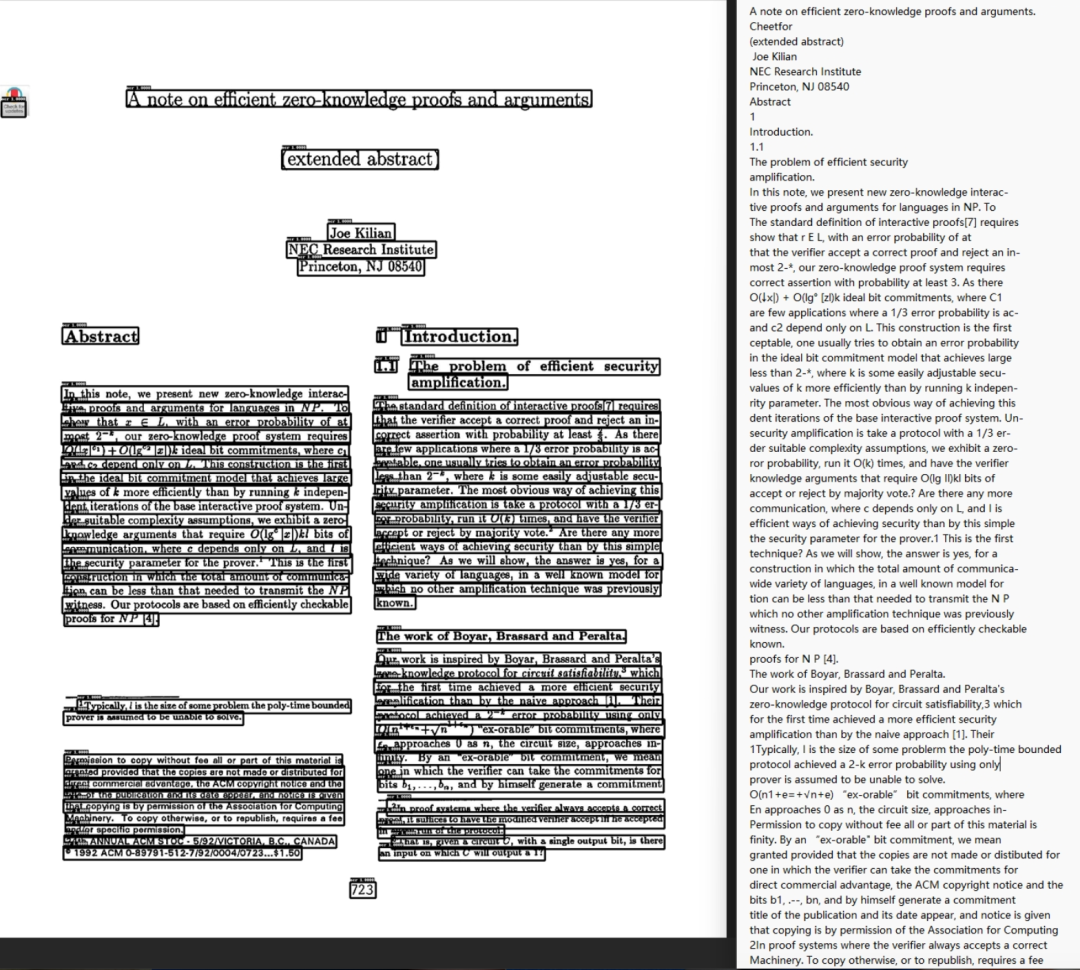
Anyone who has worked with enterprise documents knows how chaotic they get: scanned contracts, cross-page financial reports, two-column manuals, and PowerPoint decks of unknown vintage with fonts baked into the images.
Most knowledge base tools simply extract text from a PDF and go blind the moment they hit these formats. RAGFlow is different — it understands layout: it separates headings from body text, recognizes rows, columns, headers, and merged cells inside tables, and reads text off scanned pages. Word, Excel, PPT, images, and web pages can all be uploaded directly.
You Decide How Documents Are Chunked
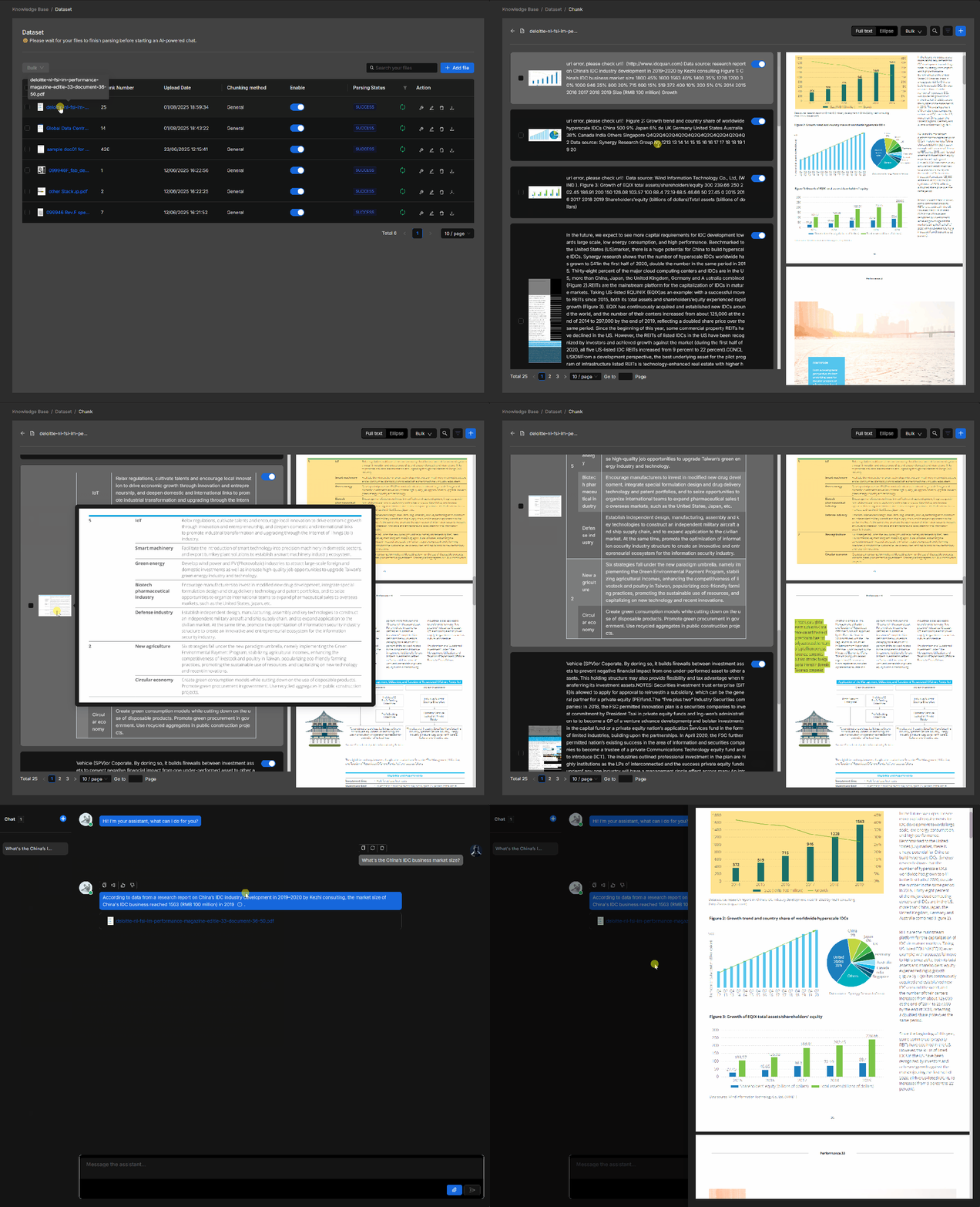
Before a document lands in the knowledge base, it must be split into small chunks — and how well it is chunked directly determines how accurate the answers are. RAGFlow offers more than a dozen chunking strategies for contracts, resumes, papers, tables, and more; you just pick one when uploading.
Every finished chunk is laid out for you to inspect, showing which page each chunk came from. If a chunk is split poorly, you can fix it by hand. When a knowledge base gives bad answers, most tools leave you helpless — RAGFlow lets you see exactly where it went wrong.
Every Answer Links Back to the Source
When an employee asks a question, RAGFlow attaches the source with its answer. Click it and you jump straight to the original text — which file, which page, which paragraph, right there.
This matters enormously. If an AI answer cannot show the source of the cited document, you never feel fully confident — after all, AI accuracy is never 100%.
It Finds the Right Documents
It retrieves documents using both keywords and semantic meaning, then filters again to rank the most relevant results before feeding them to the model. When a question spans several documents, it can connect them and answer as one.
None of this needs manual tuning — it is all automatic. We only need to know one thing: given the same batch of documents, RAGFlow surfaces more accurate content than most tools, with far fewer off-topic answers.
Plug It Straight Into DingTalk, WeCom, and Feishu
Once your knowledge base is ready, you can plug it directly into DingTalk, WeCom, or Feishu, so employees can ask questions inside the software they already use every day — no extra app to install, no new URL to remember.
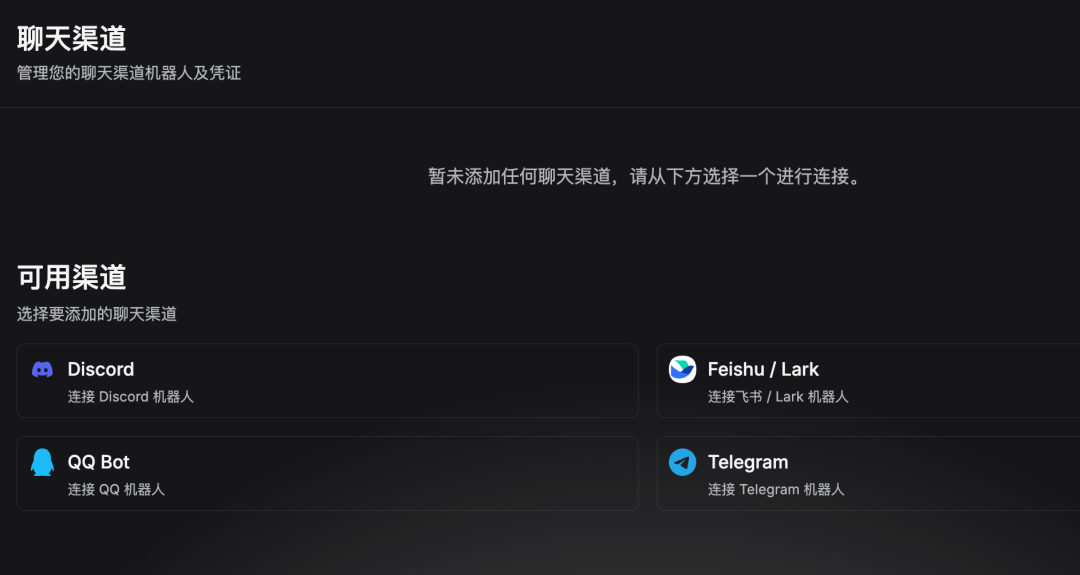
Integration requires no code — just fill in a few parameters in the admin panel.
Your Company Documents Do Not Need to Move
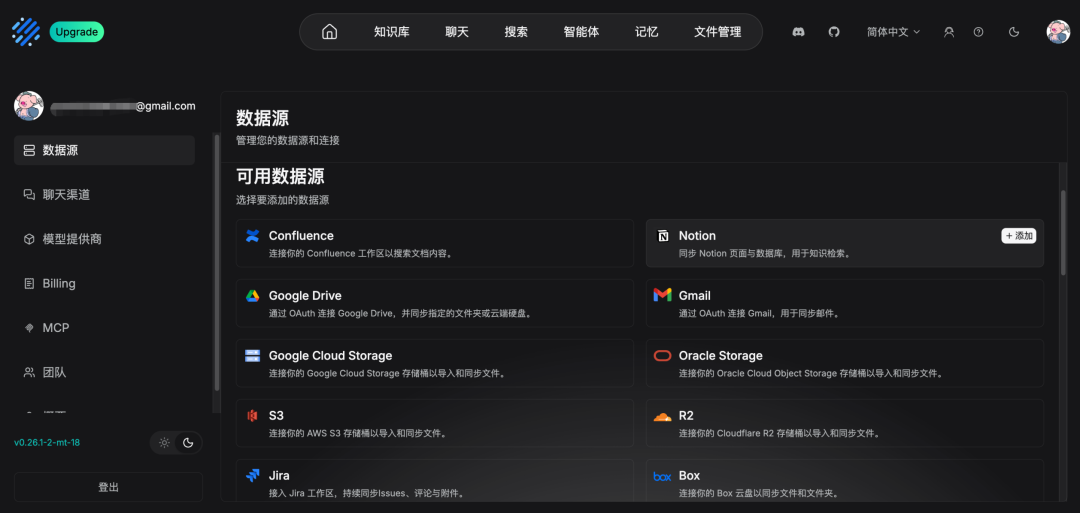
If your documents already live in Confluence, Notion, S3, or Google Drive, you can connect and sync directly. New files update into the knowledge base automatically — no more tedious export-and-import cycles.
Manageable for Multi-User Teams
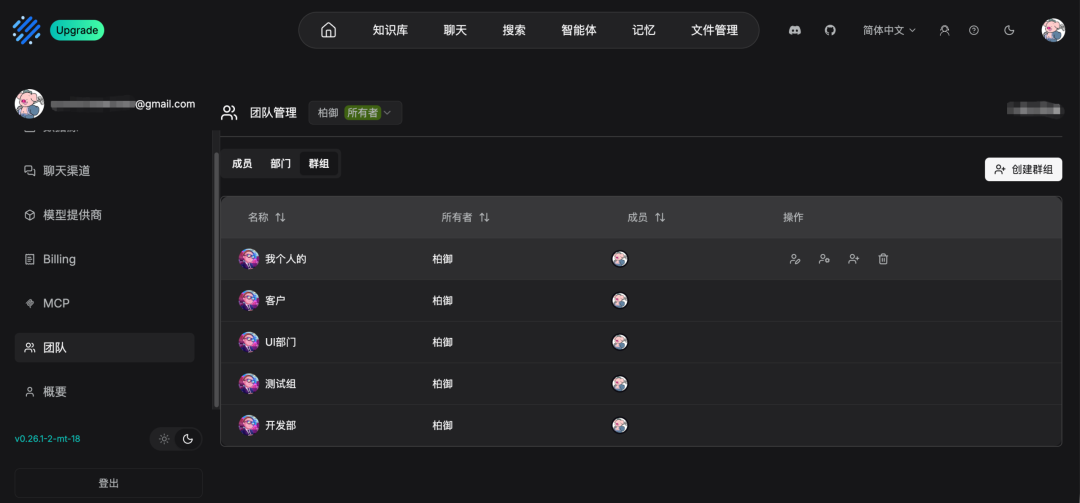
You can bring a whole team on board, controlling by role who can view which knowledge base and who can use which model. Several departments can share one deployment without interfering with each other.
More Than Just Q&A
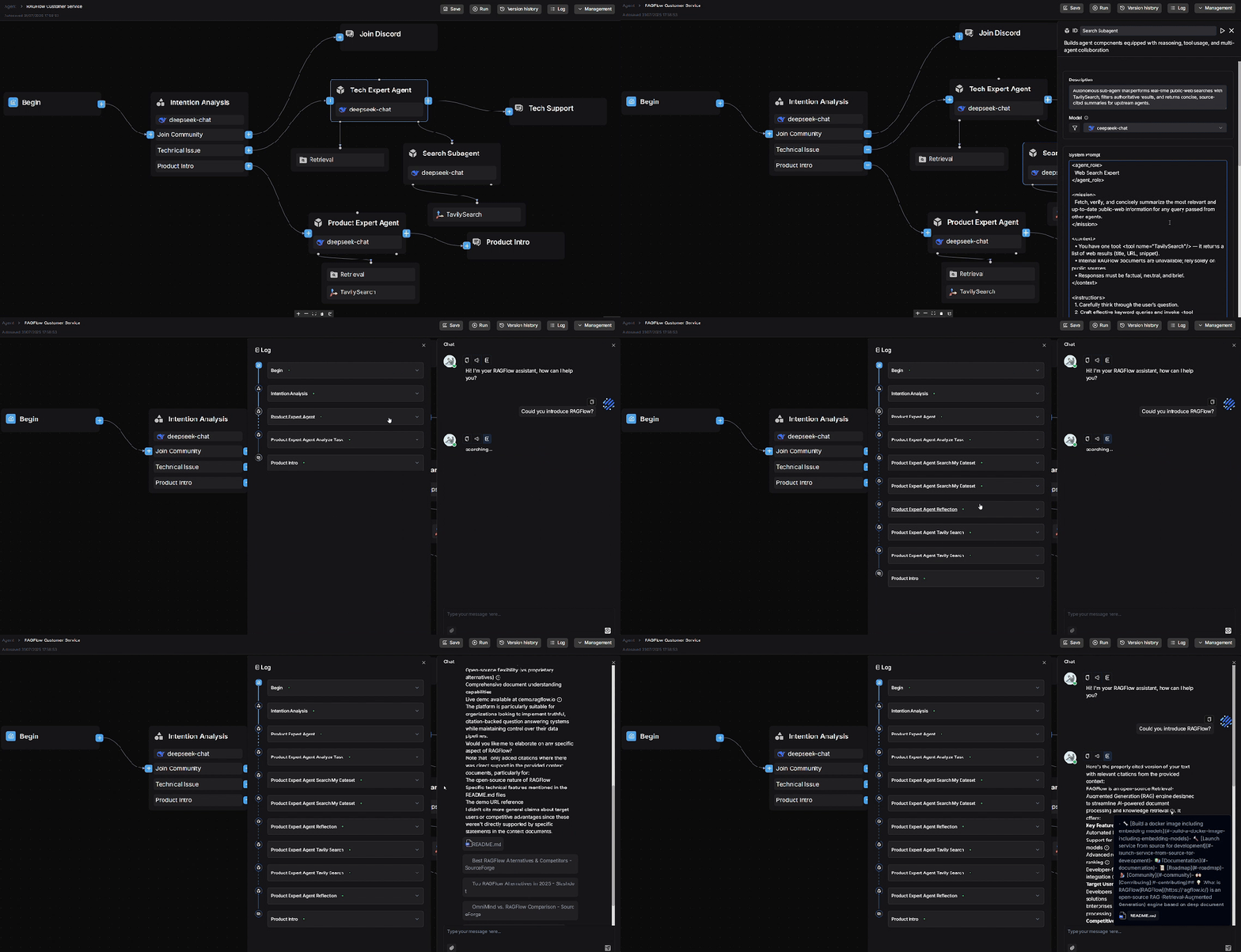
It also ships with an Agent canvas where you can build workflows by dragging your mouse: query the knowledge base, then run a snippet of code to compute a number, or open a web page to fetch real-time information — all can be composed visually.
Developers can also hook the knowledge base into tools like Claude Code via MCP, querying company documents directly while writing code.
Quick Start
First, the requirements: at least a 4-core CPU, 16 GB of RAM, 50 GB of disk, and Docker 24.0.0 or higher.
This is the one downside — RAGFlow is not a lightweight product. It packs in a huge number of features, and its hardware demands are correspondingly high; an 8 GB machine will not even boot it up.
First, tune one system parameter that its internal search component requires. Note this resets on reboot; to make it persistent, write it into /etc/sysctl.conf. Then pull the code and start the services.
If you have a GPU, add a line DEVICE=gpu in .env before starting, and document parsing will be noticeably faster. Note that the installer only ships an x86 build; ARM machines must build it themselves.
After startup, check the logs: you are good to go once you see Running on all addresses. If you open the browser before startup completes, it will report network abnormal — this is not an error; just wait for the service to come up.
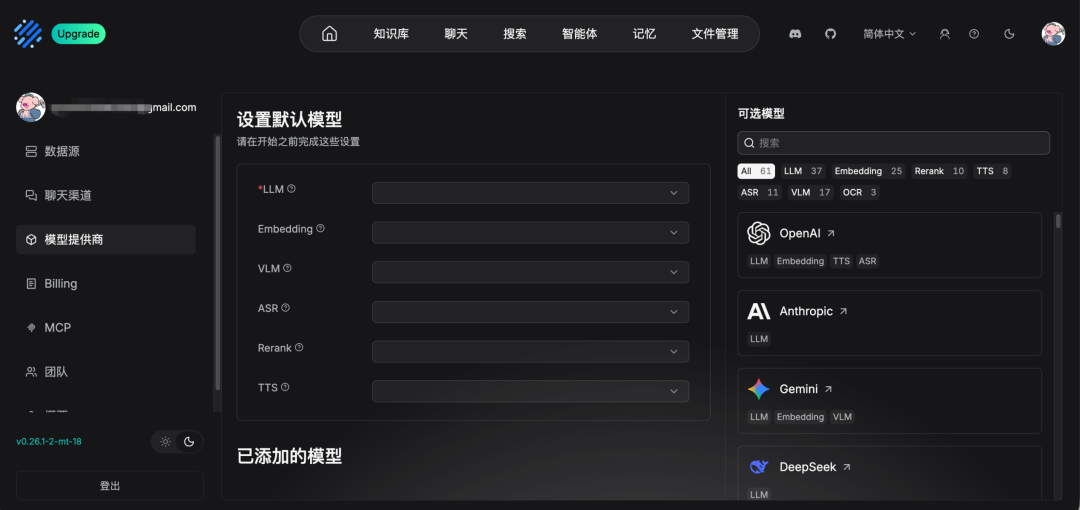
Once ready, point your browser at http://your-server-IP (default port 80). Register an admin account, log in, and configure your model. Mainstream models like DeepSeek, Kimi, GPT, and Gemini are all supported; for intranets without internet access, you can attach a local model. Then create a knowledge base, upload files, invite people — and you are done.
If you would rather not handle operations yourself, there is an official cloud version at cloud.ragflow.io to try directly. But companies that require data to stay on the intranet should skip it and self-host.
Use Cases
- Policy and contract libraries: Drop in hundreds of files and let employees ask directly; wrong answers can be traced back to the exact clause in the source.
- Table-heavy scenarios: Financial reports, research reports, and bidding documents — table structures are recognized, making it markedly more reliable than other tools.
- Customer service and IT helpdesk: Plug it into DingTalk, WeCom, or Feishu so it is wherever your employees are.
- Reviving legacy documents: Documents already in Confluence or Notion sync right in and are ready to use.
- Scenarios where you act after querying: After answering, run some code or open a web page for real-time info — all composable on the Agent canvas.
My Take
If your documents are messy, you need self-hosting, and your answers must stand up to scrutiny — meet two of these three and RAGFlow is the top open-source choice. Among homegrown projects, I consider it the first pick for building an AI knowledge base.