 By peter_lzh
 Meetily: A 24k-Star Open-Source AI Meeting Assistant That Records, Transcribes, and Summarizes Entirely On-Device
Hi, I’m Xiaohei. Today let’s talk about Meetily, a project that’s been gaining some traction lately — it’s sitting at 24k stars on GitHub. It’s an open-source AI meeting assistant from Zackriya Solutions, released under the MIT license.
What it does is simple: it captures the audio on your computer, transcribes it locally, and then uses AI to produce a summary. Everything stays on your own machine — no need to agree to questionable privacy policies, and your data never leaves for someone else’s servers.
Overview
Meetily is a desktop application with installers for macOS and Windows; Linux requires building from source. It captures system audio and the microphone directly and completes transcription and summarization on-device. The transcription engine uses Whisper.cpp or NVIDIA Parakeet, while summaries are generated by local models through Ollama. Data is stored in a local SQLite database, and semantic search is handled by a VectorDB.
There’s no shortage of similar tools — Otter.ai, Fireflies, and Granola are all mature SaaS products. But they share one thing in common: your voice, your meetings, and your customer information all pass through third-party servers. That’s exactly where Meetily differs: it keeps the entire pipeline on your local machine.
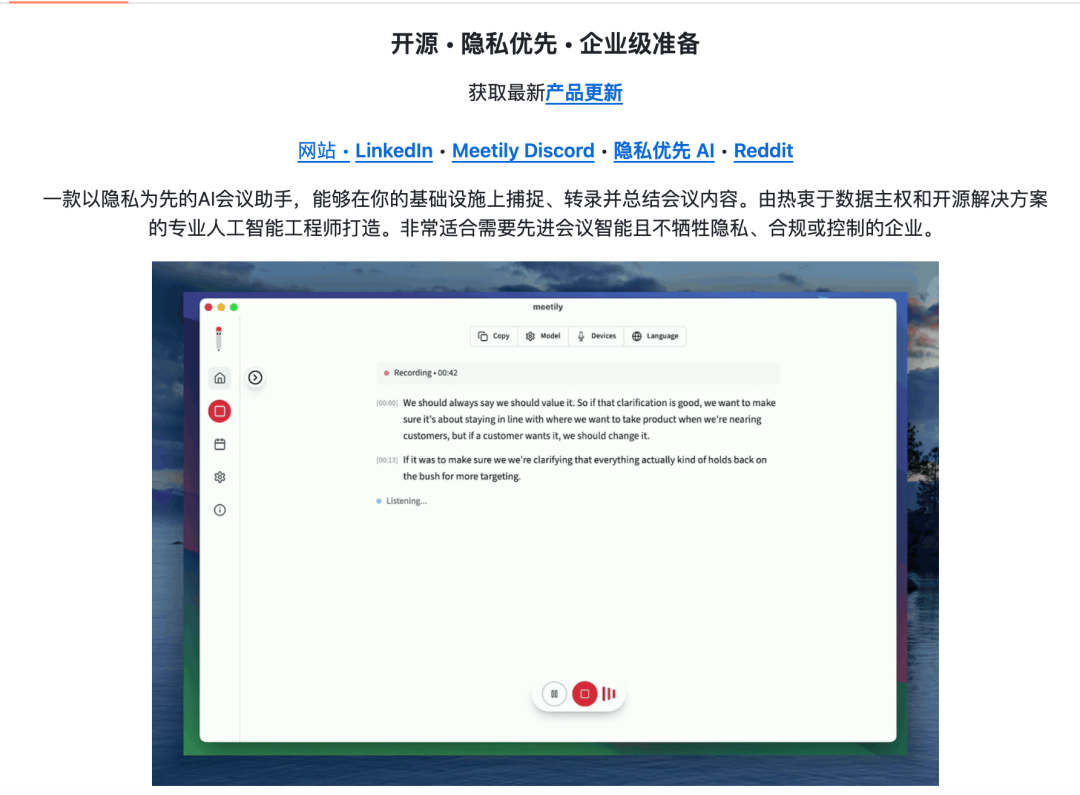
Feature Details
Local Recording Without Joining the Meeting
Meetily does not join your Zoom, Teams, or Google Meet as a bot. Instead, it records your computer’s system audio directly and processes the mixed signal locally. Your IT department won’t see “unauthorized bot joined the meeting” alerts, and you won’t get disconnected because a platform blocked bots. In-person discussions work too, since it captures system audio rather than the meeting stream.
Audio processing includes noise reduction, anti-clipping, and volume balancing, so the recording stays clear rather than a mushy mess.
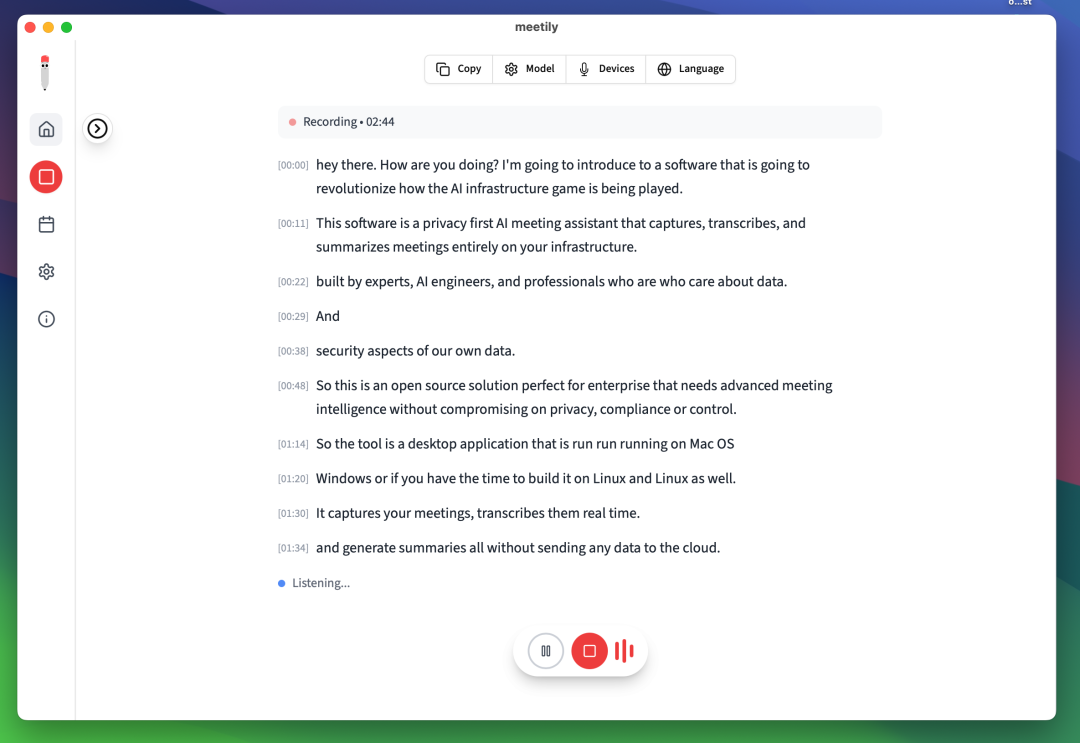
Dual Transcription Engines: Whisper and Parakeet
Transcription supports two engines. The OpenAI Whisper ecosystem is mature, with broad language coverage and stable accuracy. NVIDIA Parakeet is faster — the team claims up to 4x the speed of Whisper — making it suitable for speed-sensitive scenarios. Both engines run locally with no internet required, so transcription works even offline.
Transcripts appear in real time with timestamps, so you can glance during the meeting to confirm whether a particular sentence was recognized correctly.

Six Summary Templates
After the meeting, Meetily feeds the transcript to an LLM to generate a structured summary. Six built-in templates are available: Agenda, Decisions, Action Items, Key Discussions, Meeting Minutes, and Custom. You can pick a template or write your own prompt to control the format.
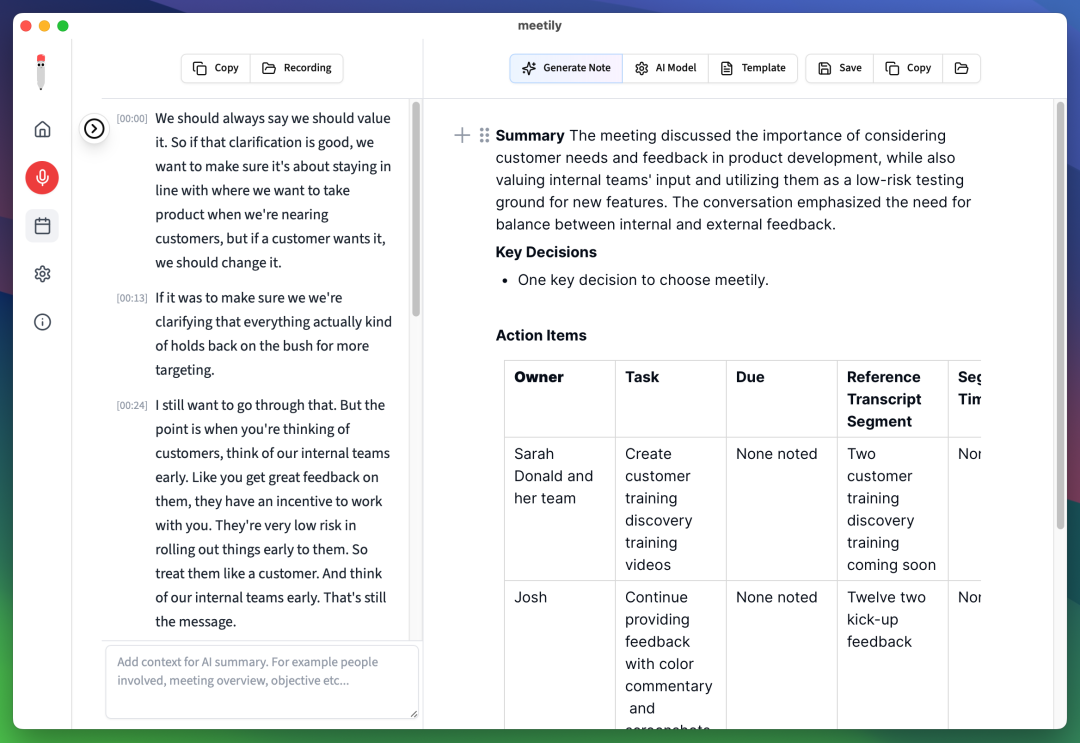
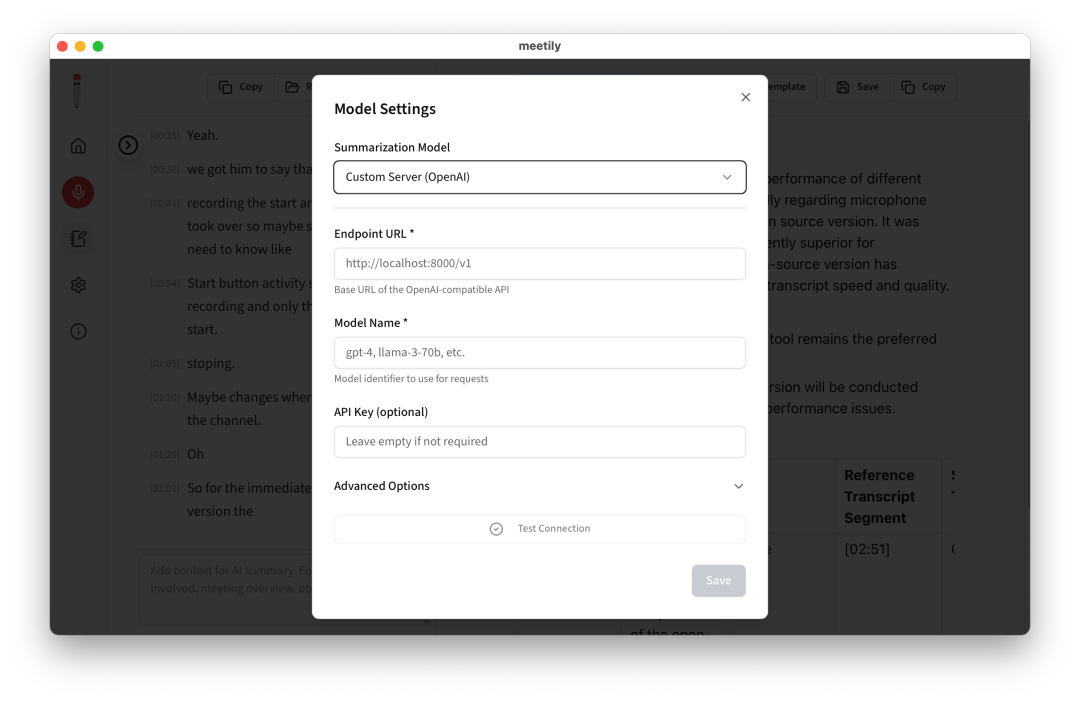
Model selection is broad: Ollama runs fully offline for high-privacy scenarios, while Claude, Groq, OpenRouter, and OpenAI connect via API for maximum quality. There’s also a custom OpenAI-compatible endpoint, so teams with an internal model gateway can plug in directly.
Re-process Old Recordings
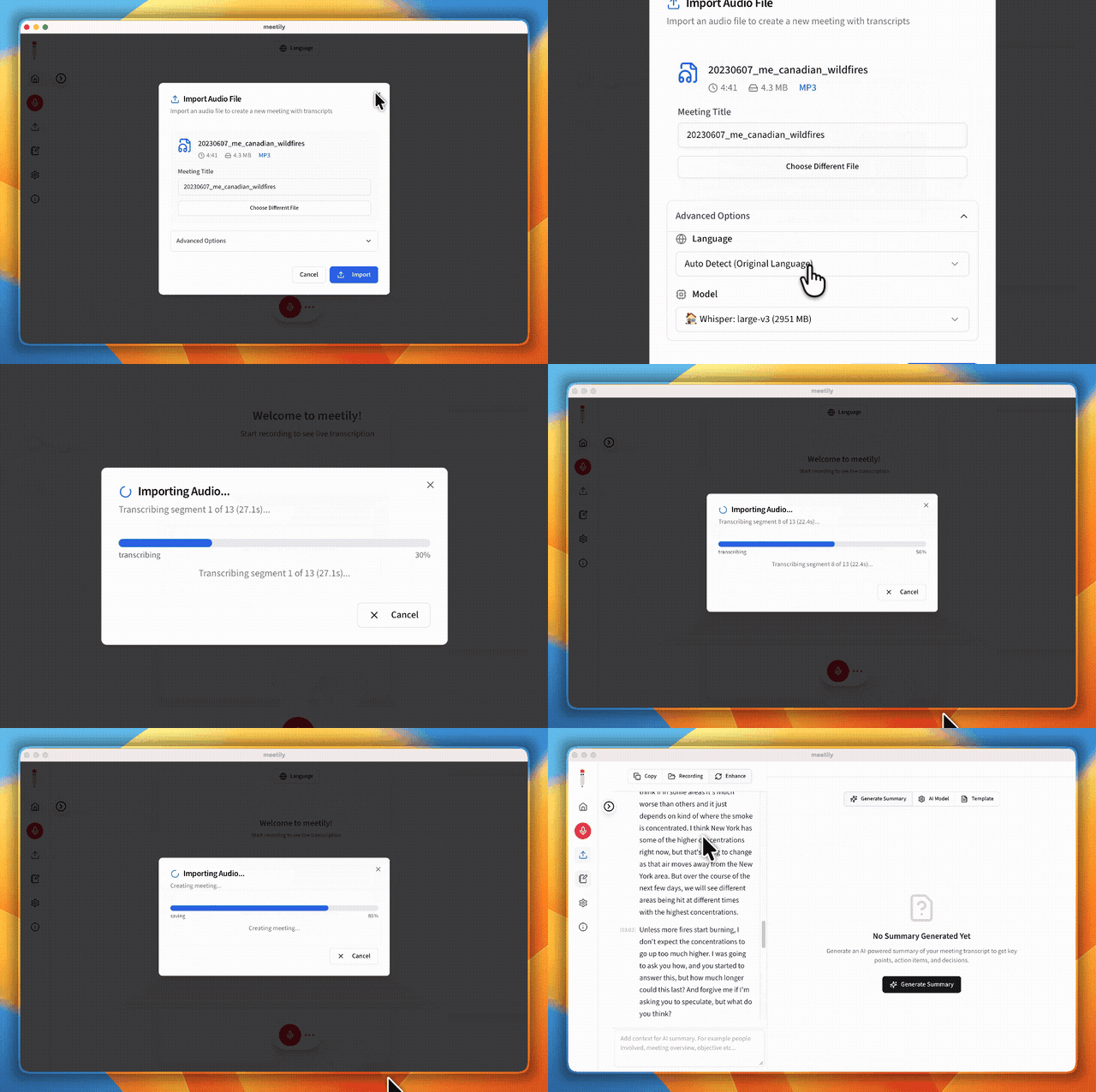
Meetily supports importing existing audio files to regenerate transcripts and summaries. I had a pile of old meetings recorded with QuickTime; after importing them and switching to a larger Whisper model, accuracy improved noticeably over the original. You can also switch languages — try the same recording with different language models to see which performs best.
Local Database and Semantic Search
All transcripts and summaries live in a local SQLite database. A VectorDB powers semantic search, so you can ask questions across past meetings and pull up the exact moment something was discussed.
Installation
Download the macOS or Windows installer from the GitHub releases page, or build from source on Linux. Point Meetily at a local Whisper/Parakeet model and an Ollama instance, and you’re ready to go.