 By peter_lzh
 PlainApp: 5k Stars, a Million Downloads — Manage Your Android Phone From a Browser
If you have used AirDroid for a few years, you may be getting a little tired of it too: an ad pops up when you transfer a file, a banner nags you to upgrade whenever you check a text, and the core features keep drifting behind a paywall. Honestly, when even managing your own phone gets gated behind a subscription, something feels backwards — why should the data on your phone have to detour through someone else’s servers?
Today let’s talk about a project I keep running into in the self-hosting community: PlainApp. It’s an open-source app with 5k+ GitHub stars and over a million downloads, and its slogan is refreshingly plain — “manage your phone from a browser.”
What is it?
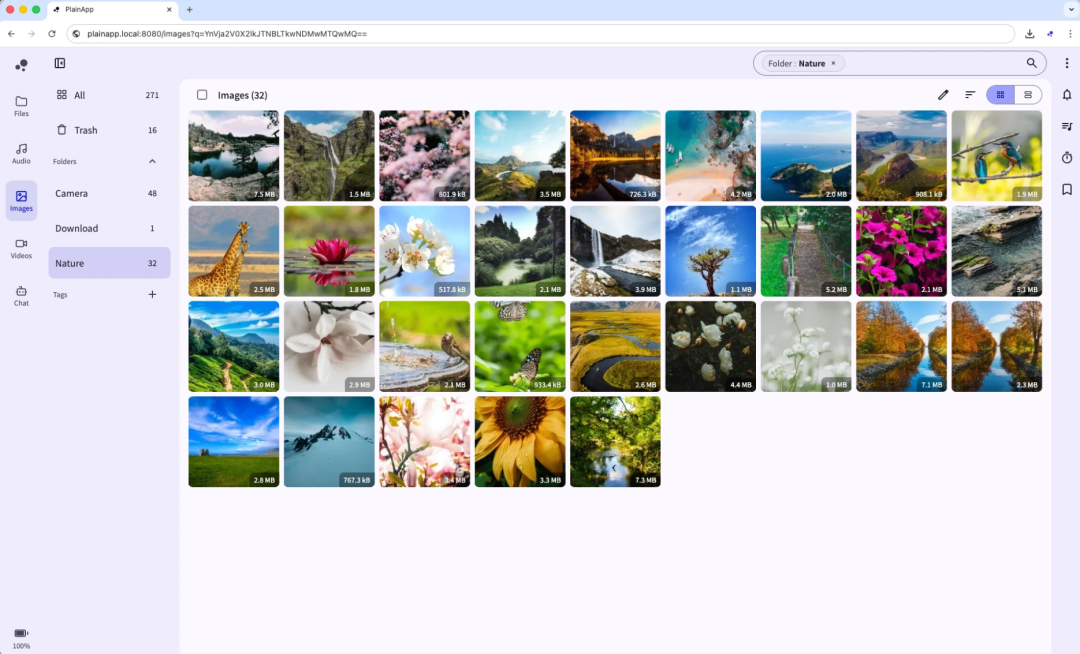
PlainApp is a free Android app that does one thing: it turns your phone into a local management hub. No desktop software to install, no account to register. Put your phone and computer on the same Wi-Fi, open a local address in your browser, and you get a full desktop dashboard — files, photos, texts, contacts, call logs, all in the browser.
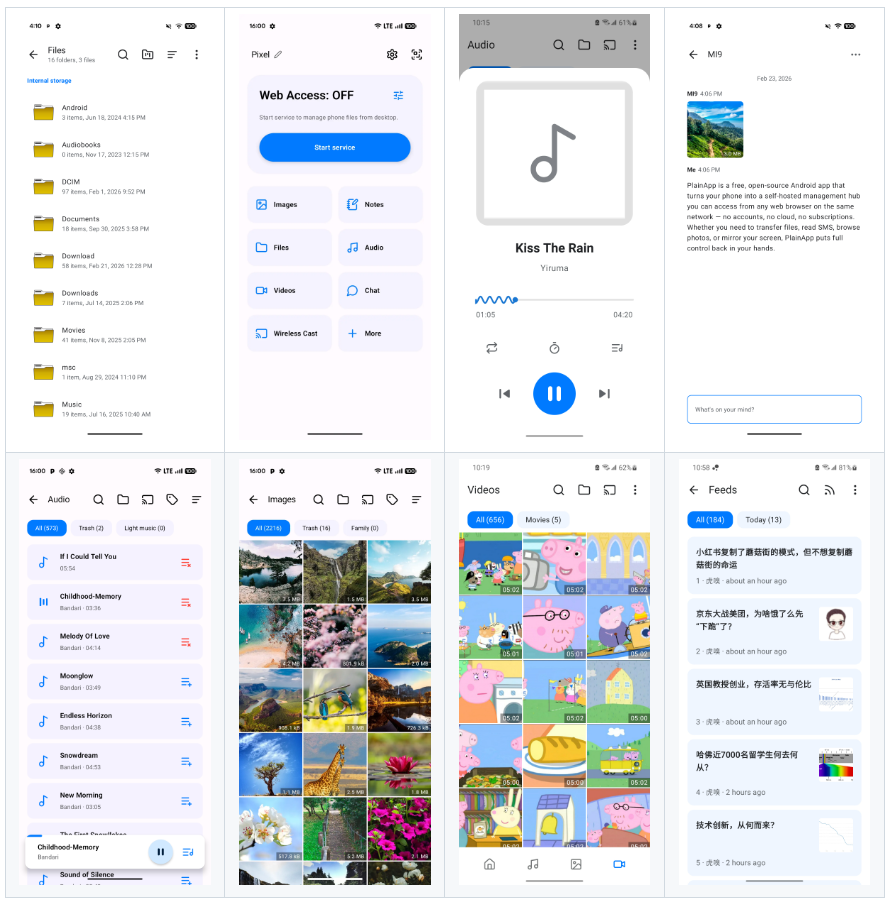
Best of all, it supports PWA, so you can pin the web app to your desktop and use it almost like a native application. An iOS version is on the way too (you can already see an iosApp directory in the repo, built with Kotlin Multiplatform for cross-platform sharing).
Privacy is its true foundation
Many tools call themselves “free,” but the price is that your data passes through their cloud first. PlainApp flips that entirely:
- 100% local. Your data never leaves your network.
- End-to-end encryption. Every connection uses TLS + XChaCha20-Poly1305.
- No accounts, no cloud, no subscriptions, no ads.
Stefano Quintarelli, a member of the EU’s High-Level Expert Group on AI, praised it as “an excellent example of privacy-first software engineering — purely local, open source, and dependent on no cloud.” Tools that make “we don’t spy on you” a core selling point are genuinely rare these days.
What can it actually do?
Don’t let the modest “file transfer” label fool you — it does far more than move files:
| Capability | What it does |
|---|---|
| Files | Browse internal storage / SD card / USB; upload, download, rename, delete |
| Media | Stream photos, videos, and music directly in the browser |
| SMS / Calls | Send and receive texts on your computer; view call logs |
| Contacts | View, search, and manage |
| Notifications | Mirror phone notifications to the browser in real time |
| Screen mirroring | WebRTC casting up to 30fps with audio |
| Notes / RSS | Built-in Markdown notes and an algorithm-free RSS reader |
| TV casting | One-click DLNA / Chromecast to your TV |
It even tucks in bonus utilities like P2P serverless chat, a Pomodoro timer, and an ambient-noise meter — one app that replaces a dozen.
How does it compare with AirDroid?
This is what everyone wants to know, so here’s the head-to-head:
| PlainApp | AirDroid | |
|---|---|---|
| Open source | Yes | No |
| 100% local | Yes | No (goes through servers) |
| Ad-free | Yes | No |
| Fully free | Yes | No (paywall) |
| Screen mirroring | Yes | Paid |
As YouTuber HowToMen put it bluntly: “If you want a tool that doesn’t spy on you and can replace AirDroid, PlainApp is the answer.”
Details the technically curious will appreciate
PlainApp isn’t a simple web wrapper. Its shared logic is written in Kotlin Multiplatform (the shared/ directory), reusing one codebase across Android and the in-progress iOS app. An April 2026 commit even removed Firebase to further “de-Google” the project. In other words, it doesn’t just talk about privacy — it works to shed third-party dependencies at the foundation.
The community is active too — you can find people on Reddit, Discord, and QQ groups. The documentation is thorough, and beginners can follow plainapp.app/docs without getting stuck.
How to get started
- Download: from Google Play, F-Droid, or GitHub — the package is under 100MB.
- Launch: tap “Start” in the app to run the local web server.
- Connect: open the displayed address (e.g.
https://192.168.1.50:8443) in any browser on the same Wi-Fi. Done.
No registration, no cloud, no “next step.”
Final thoughts
We have grown used to trading our data for convenience, but PlainApp proves there’s another path: local, open source, free — and still genuinely good to use. It’s especially suited to two kinds of people: ordinary users who are done being held hostage by subscriptions, and privacy-minded techies who insist their data never leaves the device. If you’re tired of being nudged along by subscription models, it’s worth trying tonight.
Project: github.com/plainhub/plain-app · Docs: plainapp.app/docs